
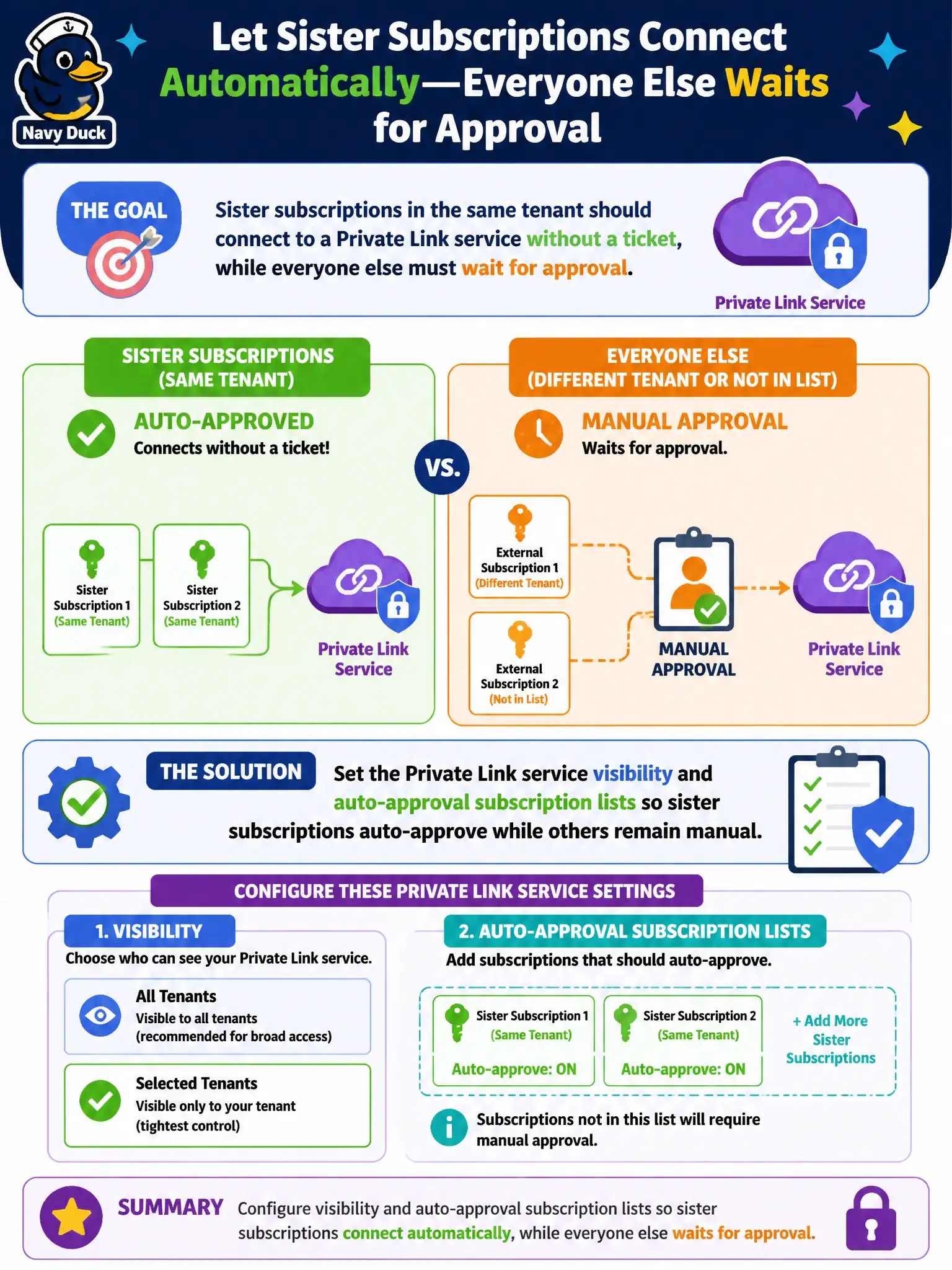
Sister subscriptions in the same tenant should connect to a Private Link service without a ticket, while everyone else must wait for approval. What should the engineer configure?
Select an answer to reveal the explanation.
Short Explanation
Sisters skip the ticket line; strangers wait. Put sister subscriptions on the Private Link service visibility/auto-approval lists and leave everyone else on manual approve.
Full Explanation
Private Link service visibility and auto-approval subscription lists control who can see and automatically approve connections. Configure those lists so sister subscriptions in the same tenant auto-approve while everyone else remains on manual approval—matching the ticketless sister path and gated outsider path.
Disabling the visibility list so every Azure customer auto-connects fails governance. Replacing Private Link approval with Entra application user consent for the load balancer frontend fails by concept. Granting Guest access in Entra ID does not auto-approve all Private Link service connections globally.
Exam caveat: visibility versus auto-approval are related but distinct PLS settings. Operational check: set sister subscription IDs on auto-approval/visibility as intended, test a sister PE (auto-approved), test an outsider PE (pending), and document the lists. In municipal Azure estates, document the decision in the change record, validate with a nonproduction rehearsal, and confirm monitoring still pages the on-call operator when the control fails closed during an incident drill. In municipal Azure estates, document the decision in the change record, validate with a nonproduction rehearsal, and confirm monitoring still pages the on-call operator when the control fails closed during an incident drill.