
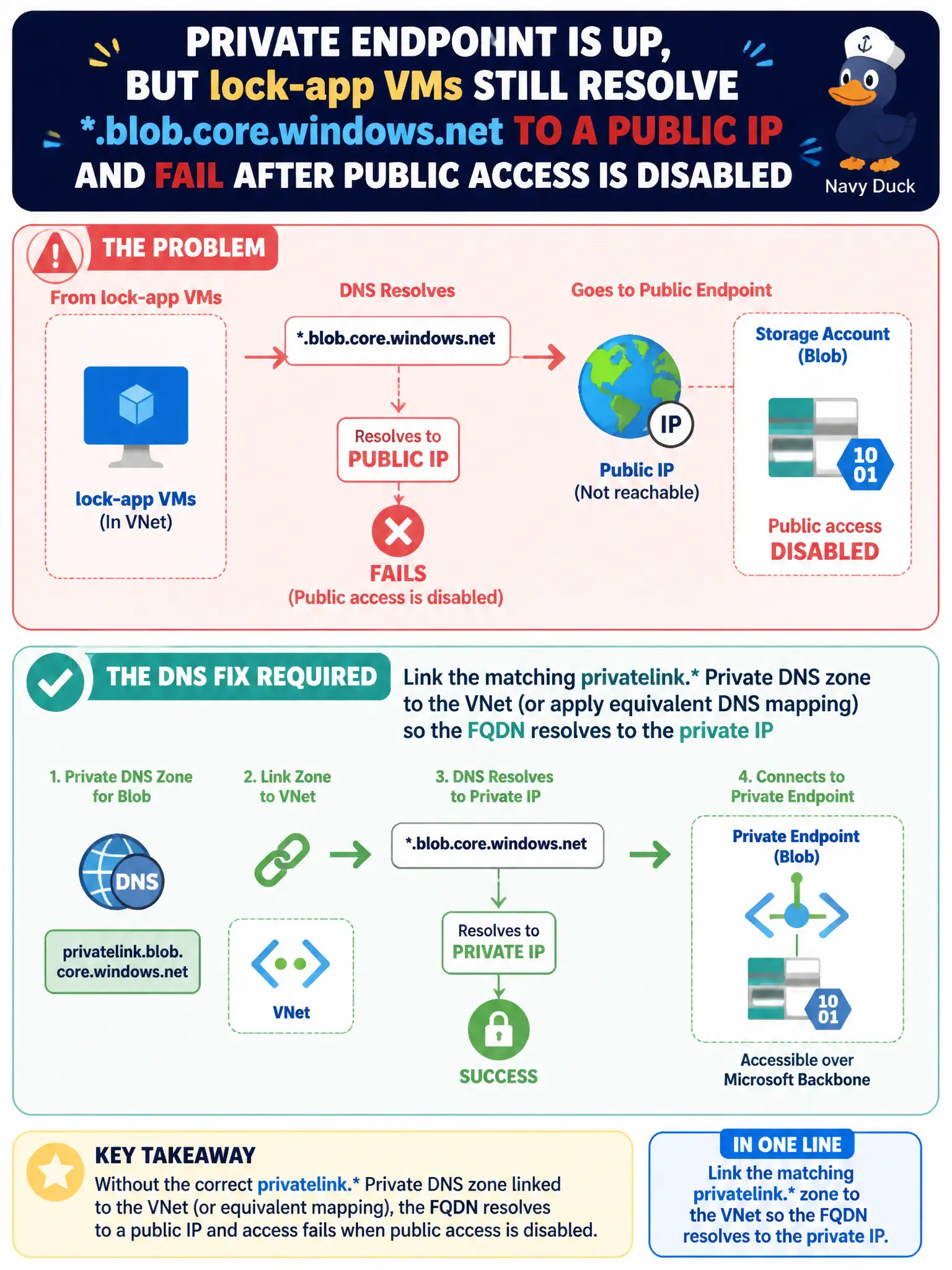
A Private Endpoint for Blob is up, but lock-app VMs still resolve *.blob.core.windows.net to a public IP and fail after public access is disabled. What DNS fix is required?
Select an answer to reveal the explanation.
Short Explanation
Private Endpoint without privatelink DNS is a locked door with the wrong address on the map. Link the privatelink zone so the Blob FQDN lands on the private IP.
Full Explanation
Clients must resolve the storage FQDN to the Private Endpoint’s private IP—commonly by linking the matching privatelink. Private DNS zone to the VNet or applying equivalent DNS mapping. When lock-app VMs still resolve .blob.core.windows.net to a public IP after public access is disabled, apply that DNS fix.
Enabling App Service regional VNet integration on the storage account to rewrite Blob DNS fails by concept. Adding an NSG service tag Allow for Storage.Internet while keeping public DNS answers fails private connectivity. Recreating the storage account with a new name so Private Endpoint DNS is no longer required fails as a remedy.
Exam caveat: Private Endpoint without DNS is a classic break—connectivity follows name resolution. Operational check: link privatelink.blob.core.windows.net (as appropriate), flush/test DNS from a VM, confirm private IP answers, and retry blob access. In municipal Azure estates, document the decision in the change record, validate with a nonproduction rehearsal, and confirm monitoring still pages the on-call operator when the control fails closed during an incident drill. In municipal Azure estates, document the decision in the change record, validate with a nonproduction rehearsal, and confirm monitoring still pages the on-call operator when the control fails closed during an incident drill.