
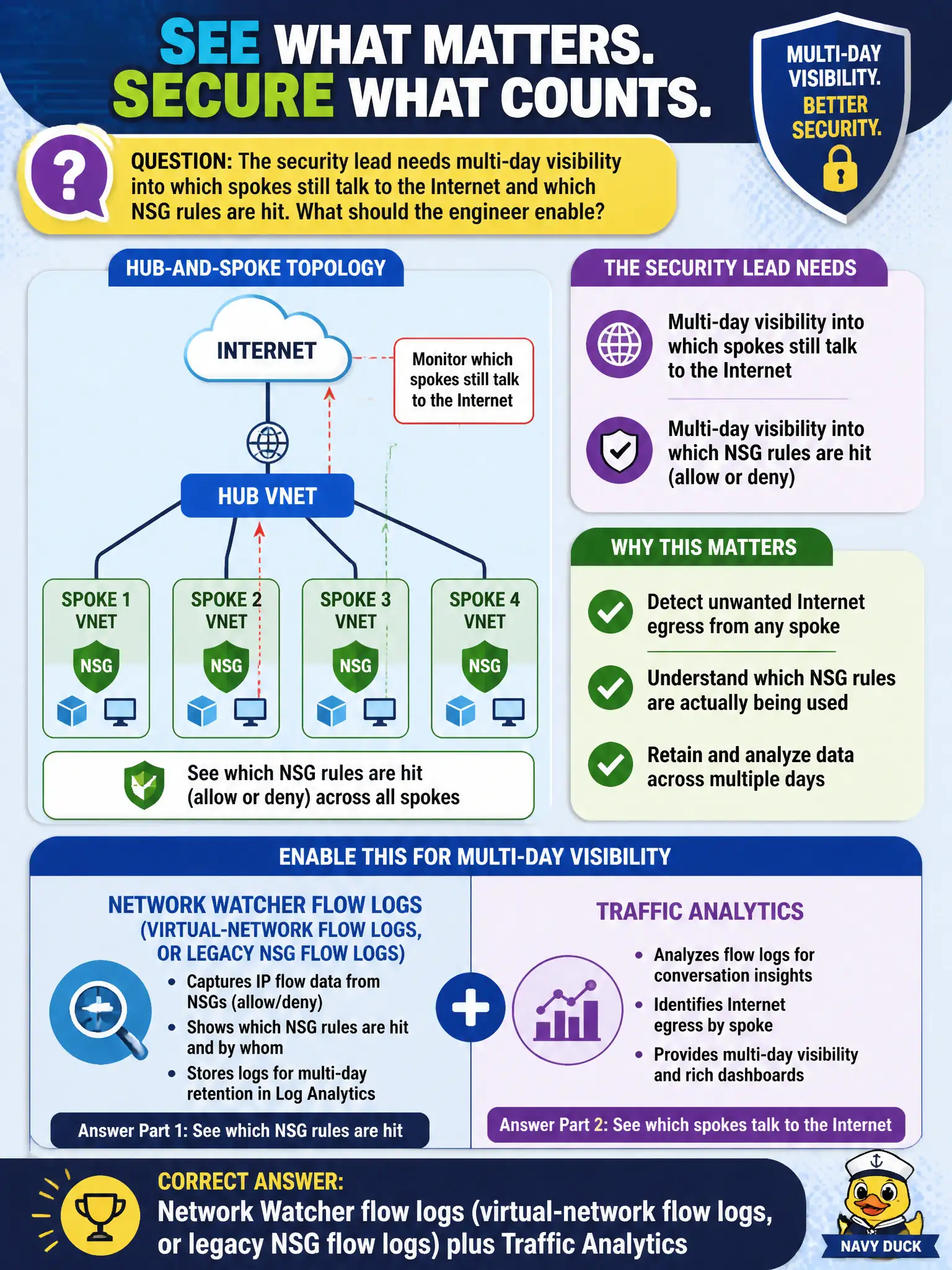
The security lead needs multi-day visibility into which spokes still talk to the Internet and which NSG rules are hit. What should the engineer enable?
Select an answer to reveal the explanation.
Short Explanation
One packet check won’t map days of spoke chatter. Turn on flow logs and Traffic Analytics so you see Internet talkers and which NSG rules actually get hit.
Full Explanation
Network Watcher flow logs—virtual-network flow logs on the current path, with NSG flow logs as the legacy model—plus Traffic Analytics give multi-day visibility into which spokes talk to the Internet and which rules are hit. Enable that combination for the security lead’s visibility requirement.
A one-time IP flow verify against a single VM fails to cover days of spoke traffic. A Sentinel data connector as the first and only Network Watcher substitute misses that flow logs are the Network Watcher source for historical NSG/VNet flow analysis. An Azure Monitor DCR for VM syslog with no network flow logging fails to capture network five-tuple flows.
Exam caveat: prefer virtual-network flow logs going forward while understanding legacy NSG flow logs still appear in older materials. Operational check: enable flow logs to a storage account or appropriate destination, turn on Traffic Analytics, review Internet-speaking spokes, and tune NSGs based on observed hits. In municipal Azure estates, document the decision in the change record, validate with a nonproduction rehearsal, and confirm monitoring still pages the on-call operator when the control fails closed during an incident drill. In municipal Azure estates, document the decision in the change record, validate with a nonproduction rehearsal, and confirm monitoring still pages the on-call operator when the control fails closed during an incident drill.