
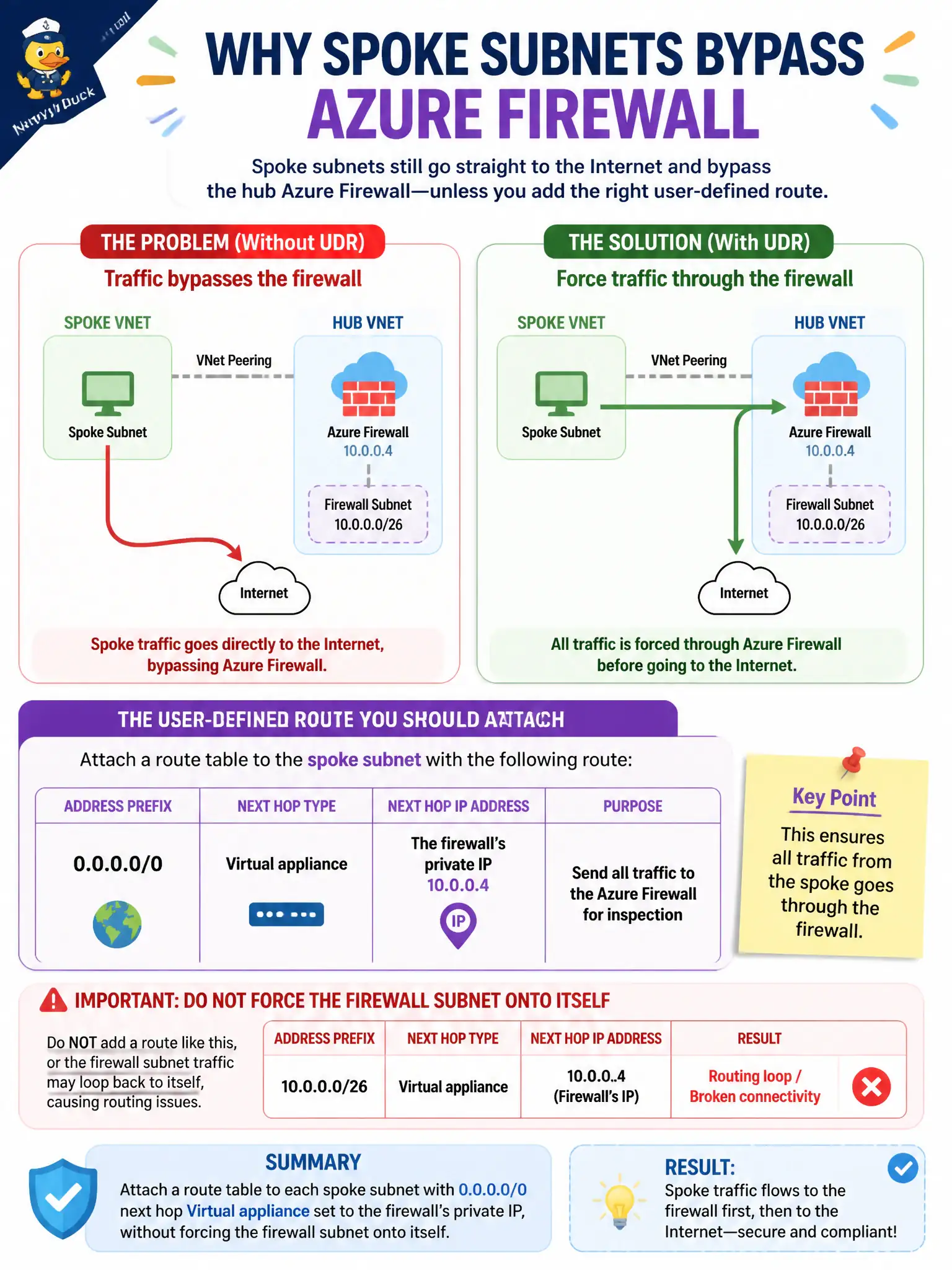
Spoke subnets still go straight to the Internet and bypass the hub Azure Firewall. What user-defined route should the security engineer attach?
Select an answer to reveal the explanation.
Short Explanation
Spokes are moonwalking past the firewall. Force 0.0.0.0/0 to the firewall’s private IP as Virtual appliance—and don’t UDR the firewall subnet into a loop.
Full Explanation
Forced tunneling uses a user-defined default route (0.0.0.0/0) with next hop Virtual appliance pointing at the hub Azure Firewall’s private IP so spoke subnets no longer take the system Internet route. Attach that route table to spoke subnets, and do not force the firewall’s own subnet to send 0.0.0.0/0 to itself in a way that blackholes the appliance.
A spoke 0.0.0.0/0 next hop Internet fails the requirement by continuing to bypass the hub firewall. Putting 0.0.0.0/0 next hop Virtual network gateway on the Azure Firewall subnet itself is a classic misroute that can break the firewall path. Routing each spoke prefix to next hop None blackholes traffic rather than inspecting it.
Exam caveat: never UDR-force the firewall subnet’s default route into a loop; inspect effective routes on a spoke NIC after attachment. Operational check: create the route table with 0.0.0.0/0 to the firewall private IP, associate to spokes, confirm effective routes, test Internet egress is inspected by Firewall, and watch for asymmetric routing issues. In municipal Azure estates, document the decision in the change record, validate with a nonproduction rehearsal, and confirm monitoring still pages the on-call operator when the control fails closed during an incident drill.