
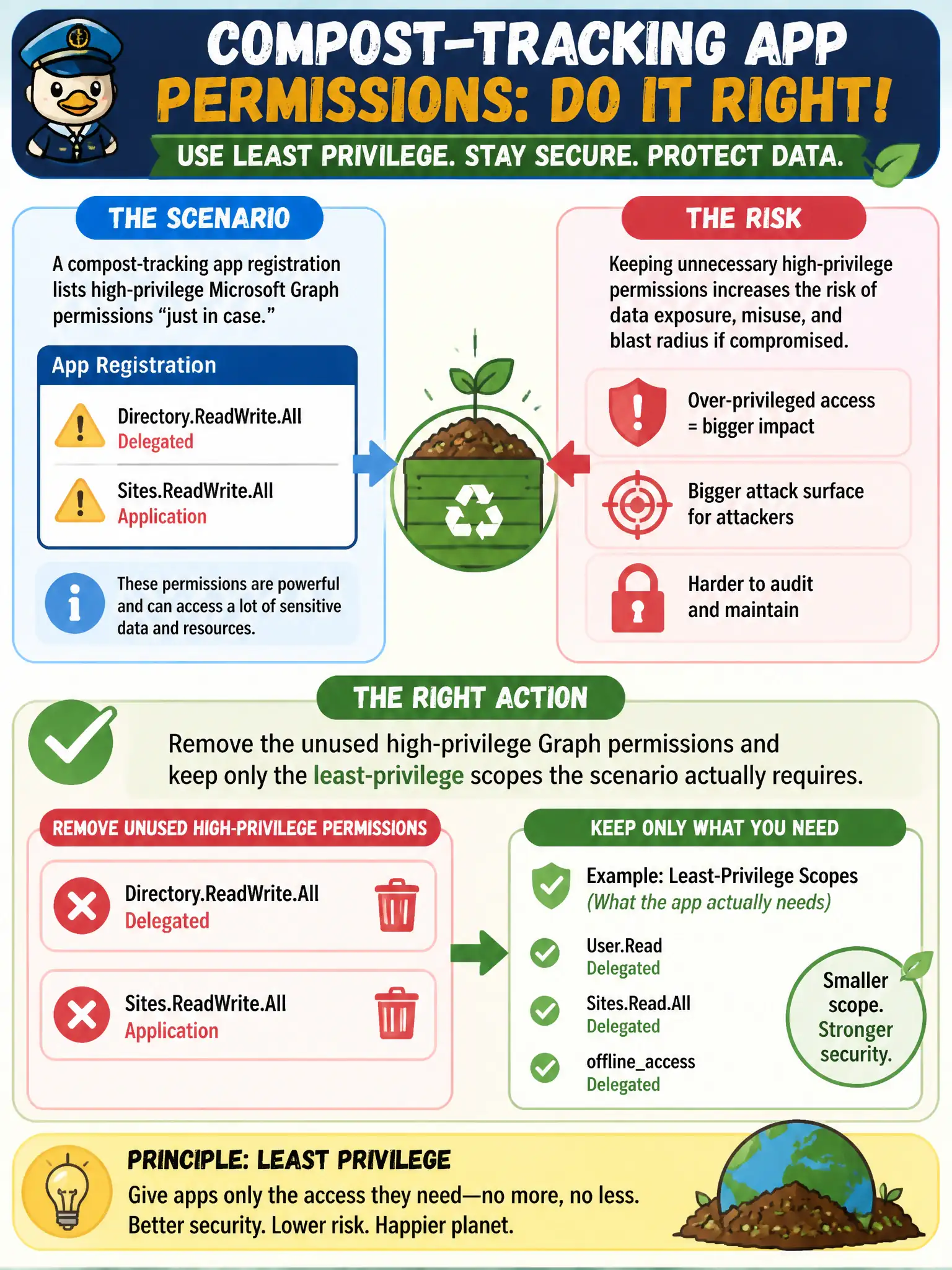
A compost-tracking app registration lists Directory.ReadWrite.All delegated and Sites.ReadWrite.All application permissions “just in case.” What should the security engineer do?
Select an answer to reveal the explanation.
Short Explanation
“Just in case” Graph permissions are spare master keys on a keyring you do not need. Trim to the least scopes the compost app actually uses—directory-wide read/write is not a default souvenir.
Full Explanation
Least-privilege practice on app registrations means requesting only the Microsoft Graph or other API permissions the scenario actually requires—not stocking Directory.ReadWrite.All and Sites.ReadWrite.All “just in case.” For the compost-tracking app registration that lists those high-privilege delegated and application permissions preemptively, the security engineer should remove the unused high-privilege Graph permissions and retain only the least-privilege scopes required for real compost workflows after a deliberate review.
Leaving both permissions in place so future features never need another consent prompt fails least privilege and expands blast radius today for hypothetical tomorrow. Swapping them for RoleManagement.ReadWrite.Directory fails by concept: that permission manages role assignments in the directory and does not fix compost-app over-permissioning; it often makes privilege worse. Converting every delegated permission into an application permission to simplify admin consent fails because application permissions are app-only, frequently broader, always require admin consent, and “simpler consent” is not a justification to escalate privilege type.
Exam caveat: treat unused high-privilege Graph permissions as audit findings; consent phishing and over-granted apps are a recurring AZ-500 theme. Operational check: inventory current permissions, remove Directory.ReadWrite.All and Sites.ReadWrite.All if unused, re-consent only what remains, regression-test compost features, and schedule a recurring permission review for the lab.