
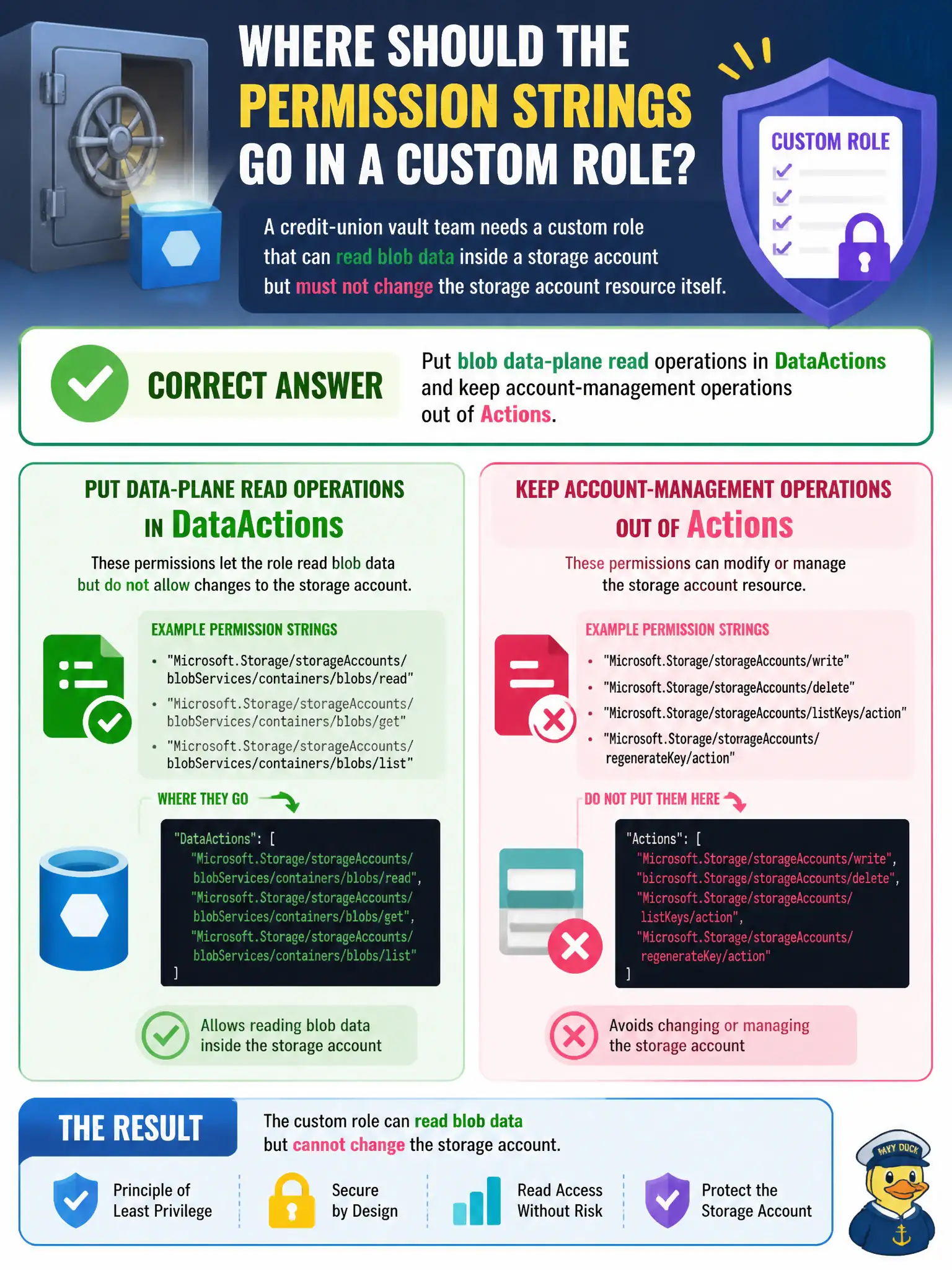
A credit-union vault team needs a custom role that can read blob data inside a storage account but must not change the storage account resource itself. Where should those permission strings be placed in the custom role definition?
Select an answer to reveal the explanation.
Short Explanation
Control plane is the bank building; data plane is the safe deposit boxes. Account knobs go in Actions; reading blob bytes goes in DataActions. Mix those drawers and you either open the building or never reach the boxes.
Full Explanation
Azure custom roles distinguish Actions (Resource Manager / control plane) from DataActions (data plane). For the credit-union vault team that must read blob data without changing the storage account resource, place blob data-plane read operations in DataActions and omit storage-account management operations from Actions. That way the role can read blob content while remaining unable to alter firewall, SKU, keys, or other account control-plane settings.
Putting blob reads in Actions and storage-account writes in NotDataActions fails by concept: blob data reads belong in DataActions, and NotDataActions only subtracts from DataActions in the same definition—it does not create a general implicit deny for control-plane writes. Putting both control-plane and data-plane operations under Actions because “DataActions is deprecated” is false; DataActions remains the correct plane for storage data operations in custom roles. Putting blob reads in AssignableScopes fails entirely: AssignableScopes only declares where the role definition may be assigned; it does not grant permissions and cannot be left to “inheritance” to supply data access.
Exam caveat: AZ-500 frequently tests Actions versus DataActions on storage, Key Vault, and similar dual-plane services. Operational check: assign the custom role, successfully read a blob as that principal, attempt a storage-account property update, and verify the control-plane change is denied while data-plane read succeeds.