
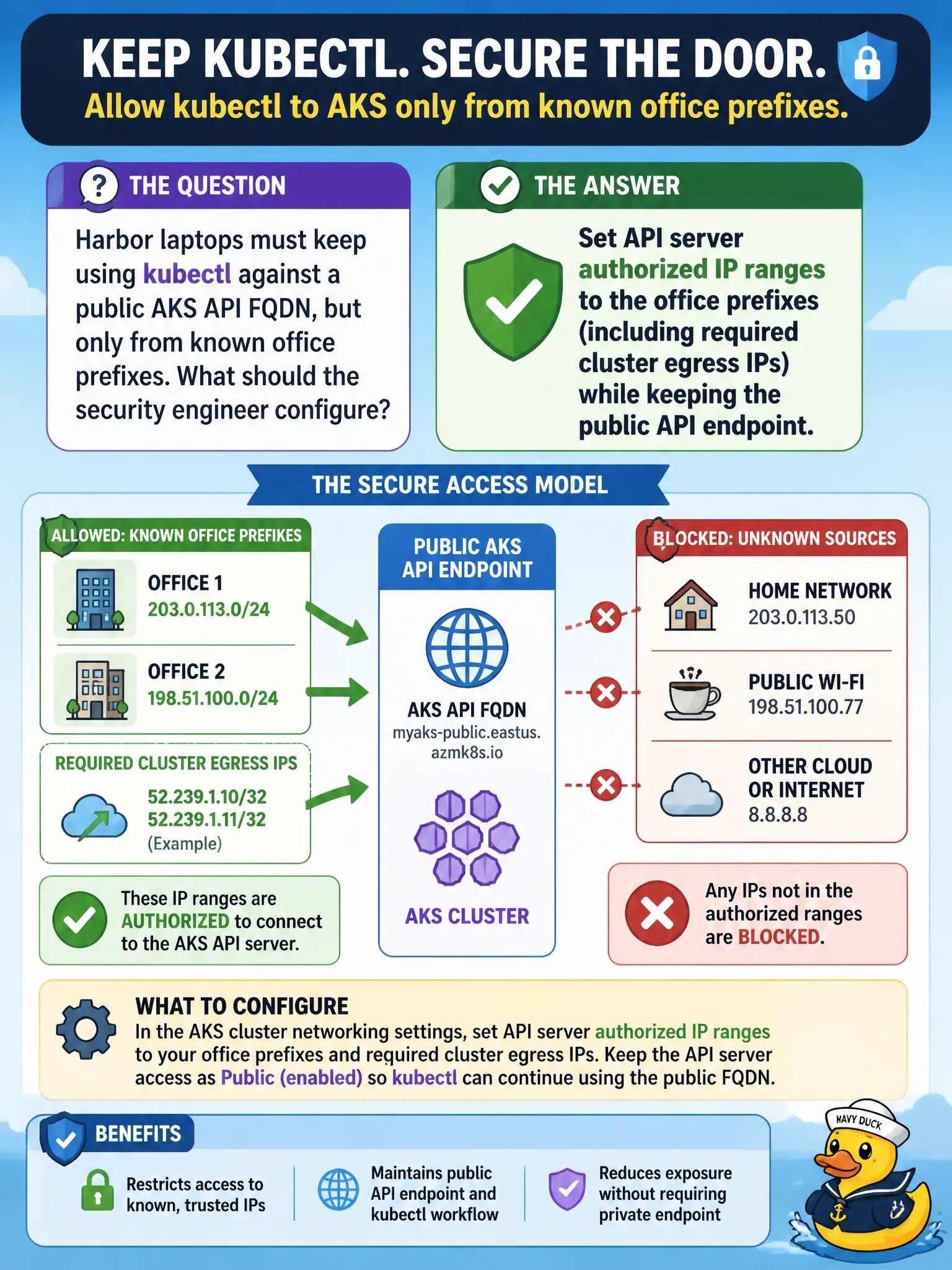
Harbor laptops must keep using kubectl against a public AKS API FQDN, but only from known office prefixes. What should the security engineer configure?
Select an answer to reveal the explanation.
Short Explanation
Still need a public API FQDN for the harbor laptops? Clamp it with authorized IP ranges—office prefixes in, Internet scanners out. Remember to list the cluster’s own egress IPs too.
Full Explanation
API server authorized IP ranges keep a public AKS API FQDN while restricting which source prefixes may reach it. For harbor laptops that must keep using kubectl against the public endpoint, the security engineer sets authorized ranges to the known office prefixes and includes required cluster egress IPs so cluster components that call the API are not locked out. Scanners on the open Internet are dropped at the API firewall layer even though the endpoint remains public.
Converting to private and forcing operators to RDP onto a node to run kubectl fails the stated requirement to keep a public API FQDN for harbor laptops and is an operational anti-pattern. Applying a Kubernetes NetworkPolicy that selects the API server pod fails by concept: the managed API server is not a pod you fence with NetworkPolicy peer CIDRs in the data plane. Disabling the public FQDN and relying only on Azure RBAC Reader without network restrictions confuses Azure resource permissions with API-server network exposure and does not implement authorized IP ranges.
Exam caveat: forgetting cluster egress (or other required Azure service) IPs in the authorized list is a common outage—include them when the API stays public. Operational check: kubectl from an office prefix succeeds; kubectl from an unauthorized Internet prefix fails; cluster operations that need API access still succeed after the egress IPs are listed.