
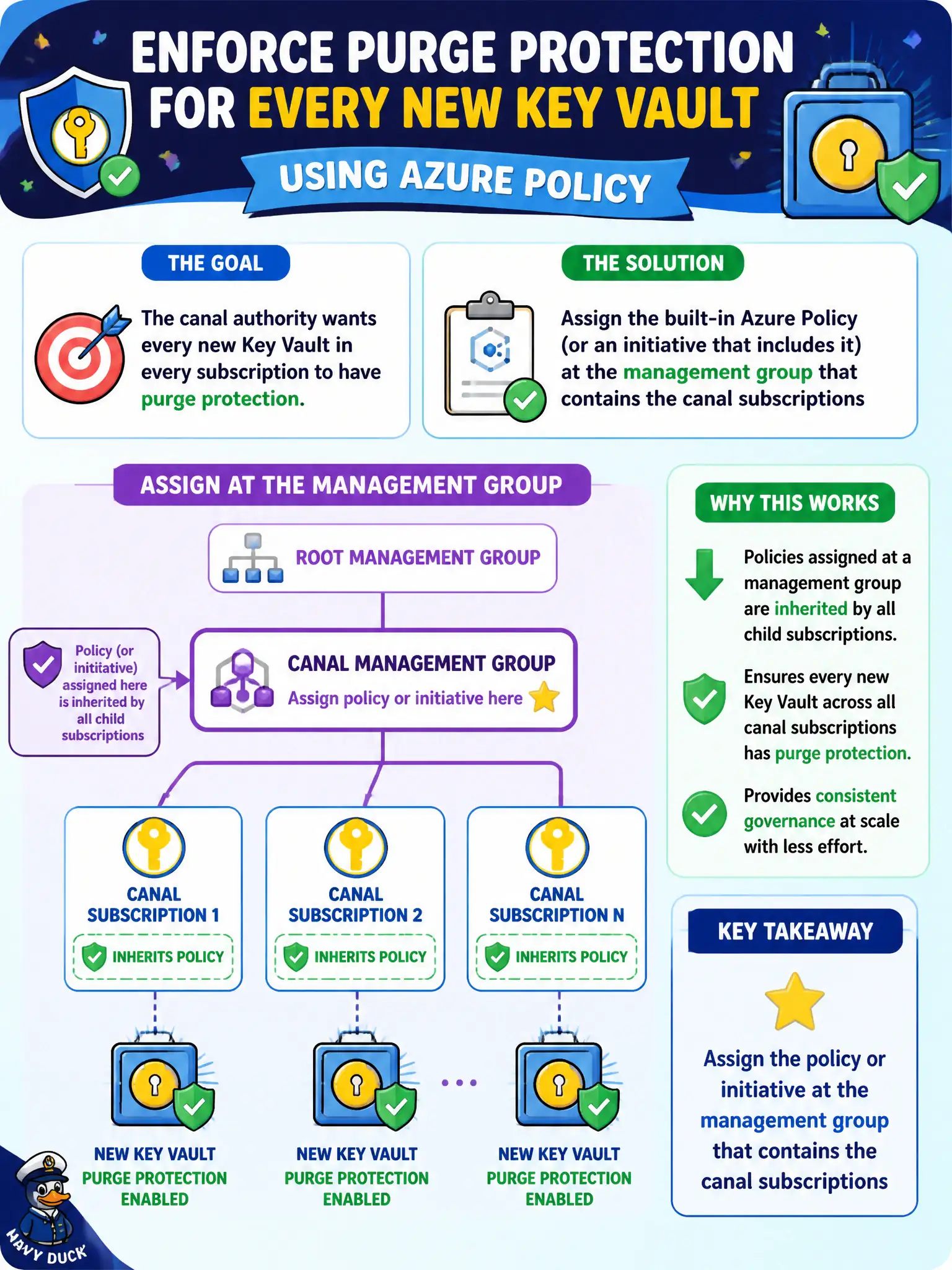
The canal authority wants every new Key Vault in every subscription to have purge protection. Where should you assign the built-in Azure Policy (or initiative that includes it) so child subscriptions inherit?
Select an answer to reveal the explanation.
Short Explanation
One resource group assignment is a sticky note on one desk. Park the purge-protection policy at the management group and every child subscription inherits the house rule.
Full Explanation
Azure Policy assignments inherit down the management group and subscription hierarchy. Assigning a purge-protection (or related Key Vault) policy or initiative at the management group that contains the canal subscriptions ensures every current and future subscription under that MG receives the rule—house policy for the whole waterways estate. Assigning only on the lock-lab resource group covers today’s vaults in that one group and misses peer subscriptions and future resource groups. Assigning on a single Key Vault resource and hoping peers copy settings does not scale and is not hierarchical governance. Skipping Policy for email reminders after each vault create is manual and unverifiable. Exam caveat: scope carefully—too-broad Deny at a high MG can block legitimate lab subscriptions; use exclusions or separate MGs for sandbox when needed, and prefer initiatives for related Key Vault guardrails. Operational check: assign at the canal MG, create a test vault in a child subscription without purge protection, confirm the assignment effect (Deny or Audit) behaves as designed, and review compliance blade counts across all child subscriptions. Management-group scope is how a canal authority keeps purge-protection consistent when new subscriptions appear for regional lock projects.