
A nene-goose collar API still copies a client secret into App Service settings to call Key Vault and Blob Storage. Why enable a managed identity instead?
Select an answer to reveal the explanation.
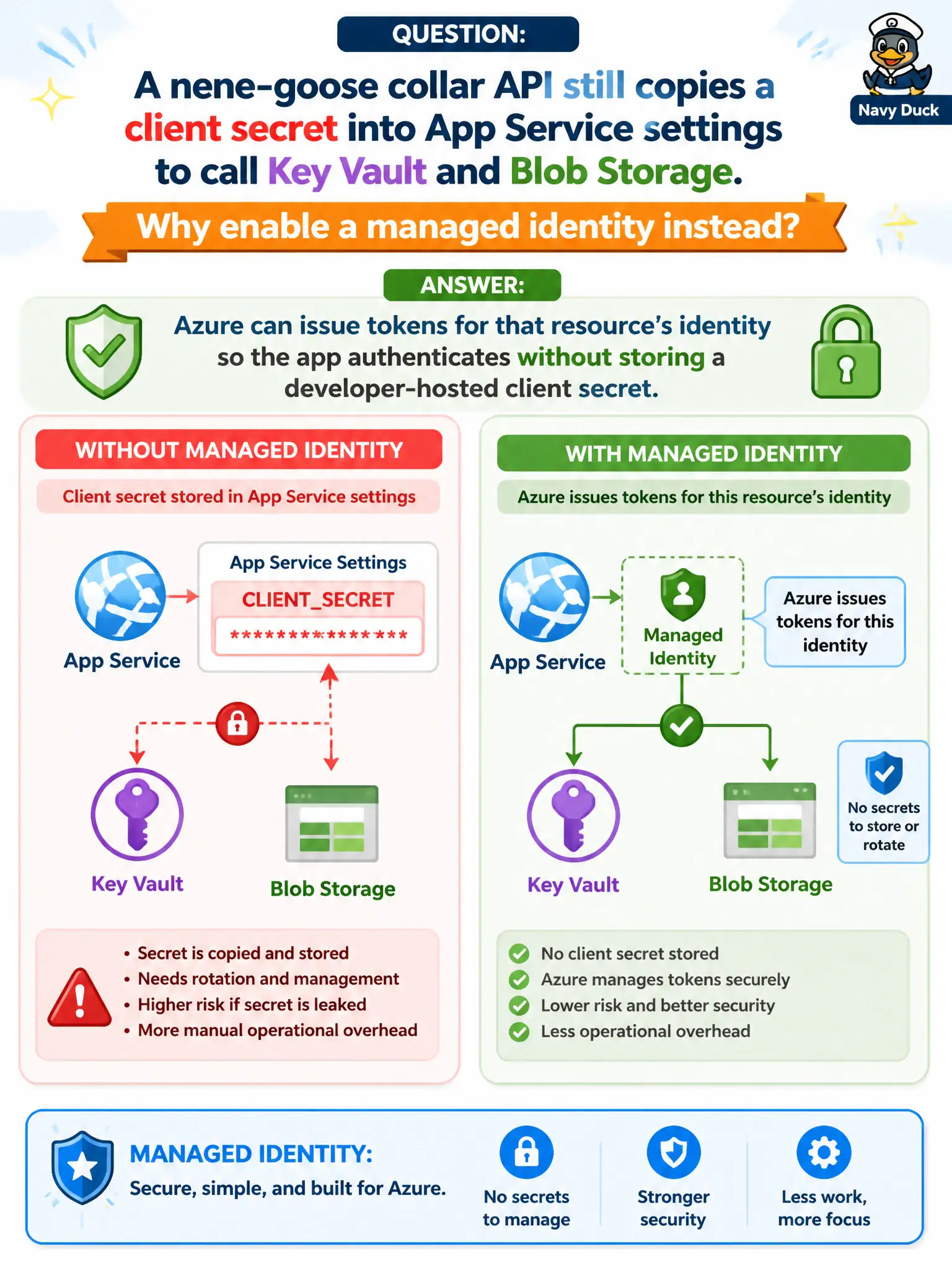
Short Explanation
Managed identity is Azure’s “employee badge” for the App Service itself—tokens on demand, no client secret sticky note in settings. It is not a SAS substitute for public containers and not a Graph admin portal.
Full Explanation
A managed identity gives the nene-goose collar API an Azure AD identity for the App Service resource itself. Azure issues tokens for that identity so the app can call Key Vault, Storage, and other resource AD audiences without storing a developer-hosted client secret in application settings. Removing the sticky-note secret reduces rotation toil and leak risk while municipal hosts authenticate as themselves.
Claiming managed identity replaces SAS on every anonymous public container automatically fails: public anonymous access and SAS are separate Storage authorization stories; MI does not flip public containers to private or mint SAS for you by magic. Saying managed identity exists only for Microsoft Graph admin consent screens fails scope—MI is a general Azure resource identity used across Key Vault, Storage, SQL, and more. Asserting managed identity forces every secret into Git for backup is the opposite of the pattern; MI exists so those secrets need not be checked in.
Exam caveat: enabling MI creates the identity; you must still assign data-plane roles on each target resource before calls succeed. Operational check: enable system- or user-assigned identity on the App Service, grant it Key Vault Secrets User and a Storage data role as needed, delete the old client secret from settings, and confirm token-based calls succeed while a redeploy without the secret still works.