
A brine-shrimp tank portal must accept only accounts from the hatchery’s Microsoft Entra tenant, not any Entra user on the internet. What should the developer configure?
Select an answer to reveal the explanation.
Short Explanation
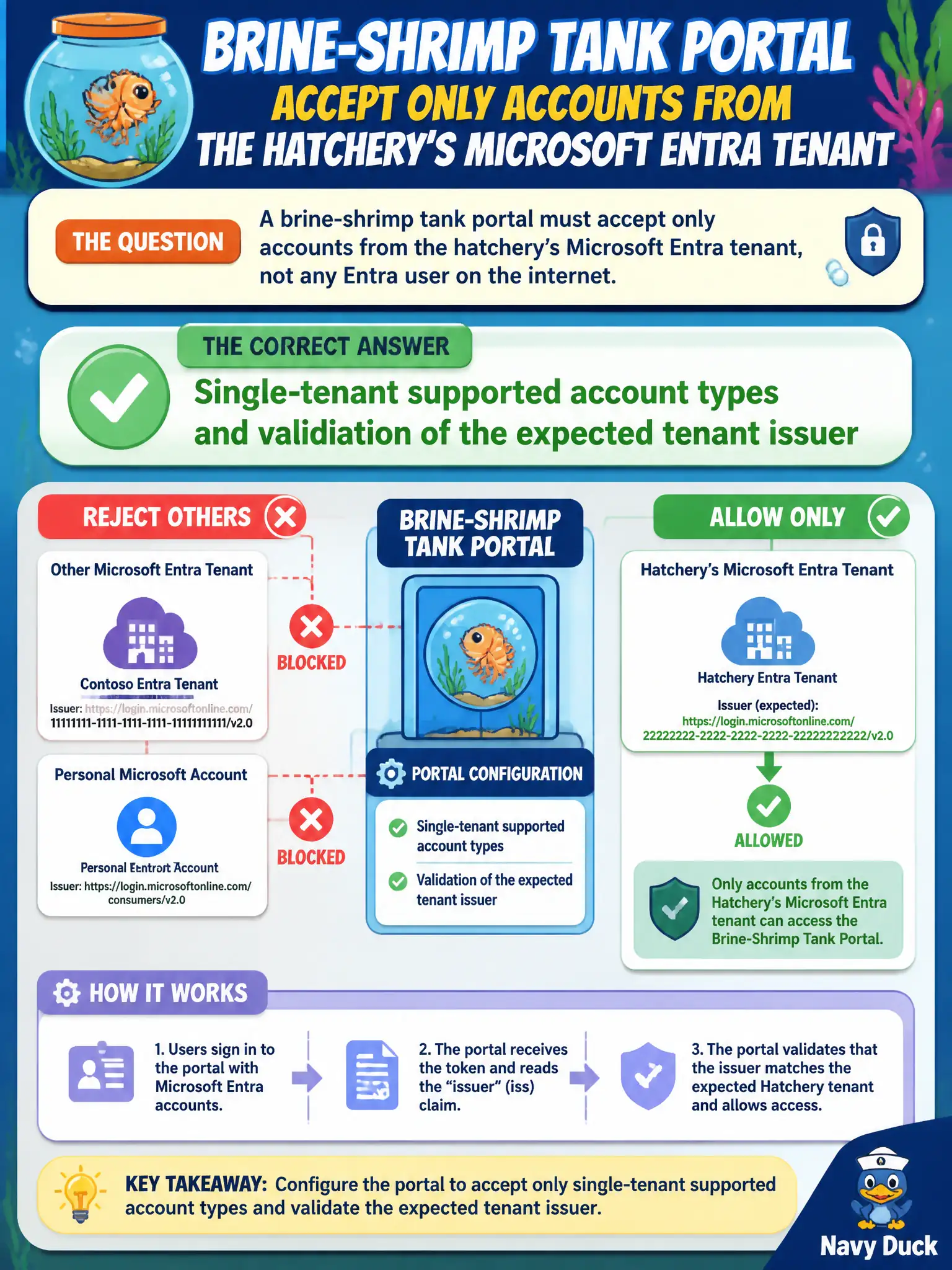
If only the hatchery’s people belong inside, lock the app registration to that one tenant and check the issuer. Multi-tenant is for when any org can walk in.
Full Explanation
For a brine-shrimp tank portal that must accept only hatchery Microsoft Entra accounts, configure the app registration for single-tenant supported account types and validate that tokens come from the expected tenant issuer (the hatchery’s sts/login endpoint for that tenant ID). Single-tenant registration plus issuer validation keeps personal Microsoft accounts and foreign tenants out of the authorization path.
Multi-tenant audience including personal Microsoft accounts fails the isolation requirement. That setting widens who can sign in, which is the opposite of “only this hatchery’s tenant.”
Anonymous access with a shared storage account key in the browser fails because it bypasses Entra entirely, exposes a powerful secret to any page visitor, and grants Storage-level power rather than authenticated portal identity.
Device code flow without validating the token issuer fails because the flow alone does not constrain tenants. Skipping issuer validation allows tokens from unexpected authorities if other checks are weak, undermining the single-tenant guarantee.
Exam caveat: single-tenant registration is necessary but not sufficient if your API or middleware accepts any iss. Always validate issuer (and tenant) on incoming tokens, especially if you previously ran multi-tenant configurations.
Operational check: attempt sign-in with an account from another tenant and confirm rejection; sign in with a hatchery account and confirm iss matches https://login.microsoftonline.com/TENANT_ID/v2.0 (or the expected authority your stack uses). Review Authentication > Supported account types shows single tenant only.