
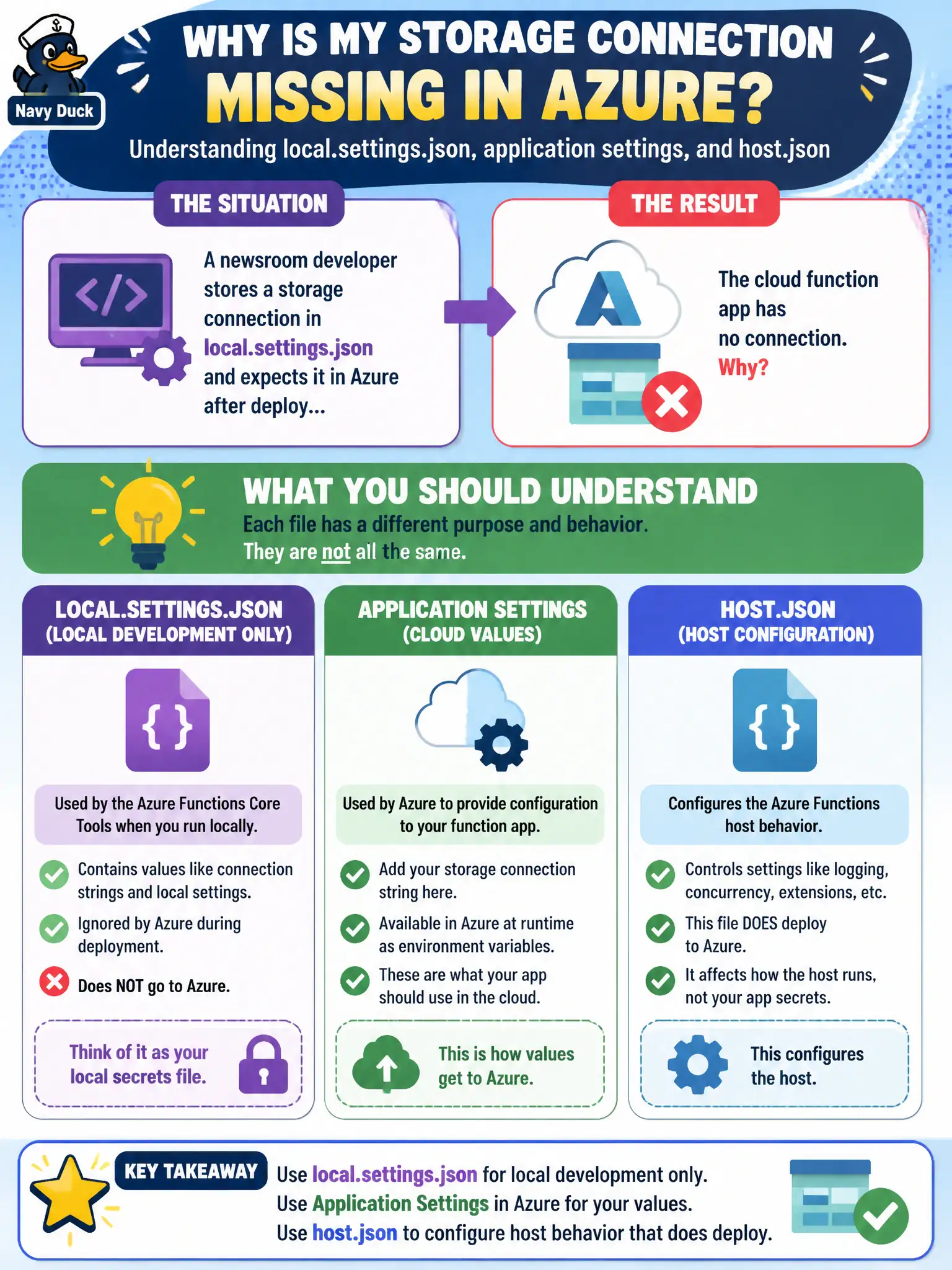
A newsroom developer stores a storage connection in local.settings.json and expects it in Azure after deploy, but the cloud function app has no connection. What should the developer understand about these files?
Select an answer to reveal the explanation.
Short Explanation
local.settings.json is the sticky note on the laptop—great at home, left behind on deploy. Put real cloud secrets in application settings. host.json travels with the app because it describes host behavior, not laptop secrets.
Full Explanation
The newsroom developer stored a storage connection in local.settings.json and expected it in Azure after deploy, but the cloud function app has no connection. local.settings.json is for local development only and is excluded from Azure deployment by design. Cloud values belong in the function app’s application settings (Configuration). By contrast, host.json configures host-level behavior—concurrency, extensions, logging—and does deploy with the app content. Understanding which file is laptop-scoped versus cloud-scoped prevents “works on my machine” connection gaps.
Believing local.settings.json is published to Azure and overrides all application settings is the opposite of the deployment model; those secrets stay local unless you deliberately copy them into App Settings. Claiming host.json is local-only and must never be committed or deployed is wrong—host.json is part of the app and should be source-controlled as host configuration. Claiming both files are ignored in Azure and only ARM templates can supply Functions configuration overstates IaC: application settings can be set in portal, CLI, pipelines, or templates, but host.json still deploys with content.
Exam caveat: slot-specific application settings and Key Vault references are common cloud patterns—still set them on the function app, not in local.settings.json. Operational check: after deploy, open the function app Configuration blade, confirm the storage connection (or Key Vault reference) exists as an application setting, and invoke the function in Azure to verify it reads the cloud value rather than anything from local.settings.json.