
A municipal ferry schedule site is live on the default azurewebsites.net hostname, but riders need schedule.harbor.example over HTTPS. What should the developer configure on the App Service web app?
Select an answer to reveal the explanation.
Short Explanation
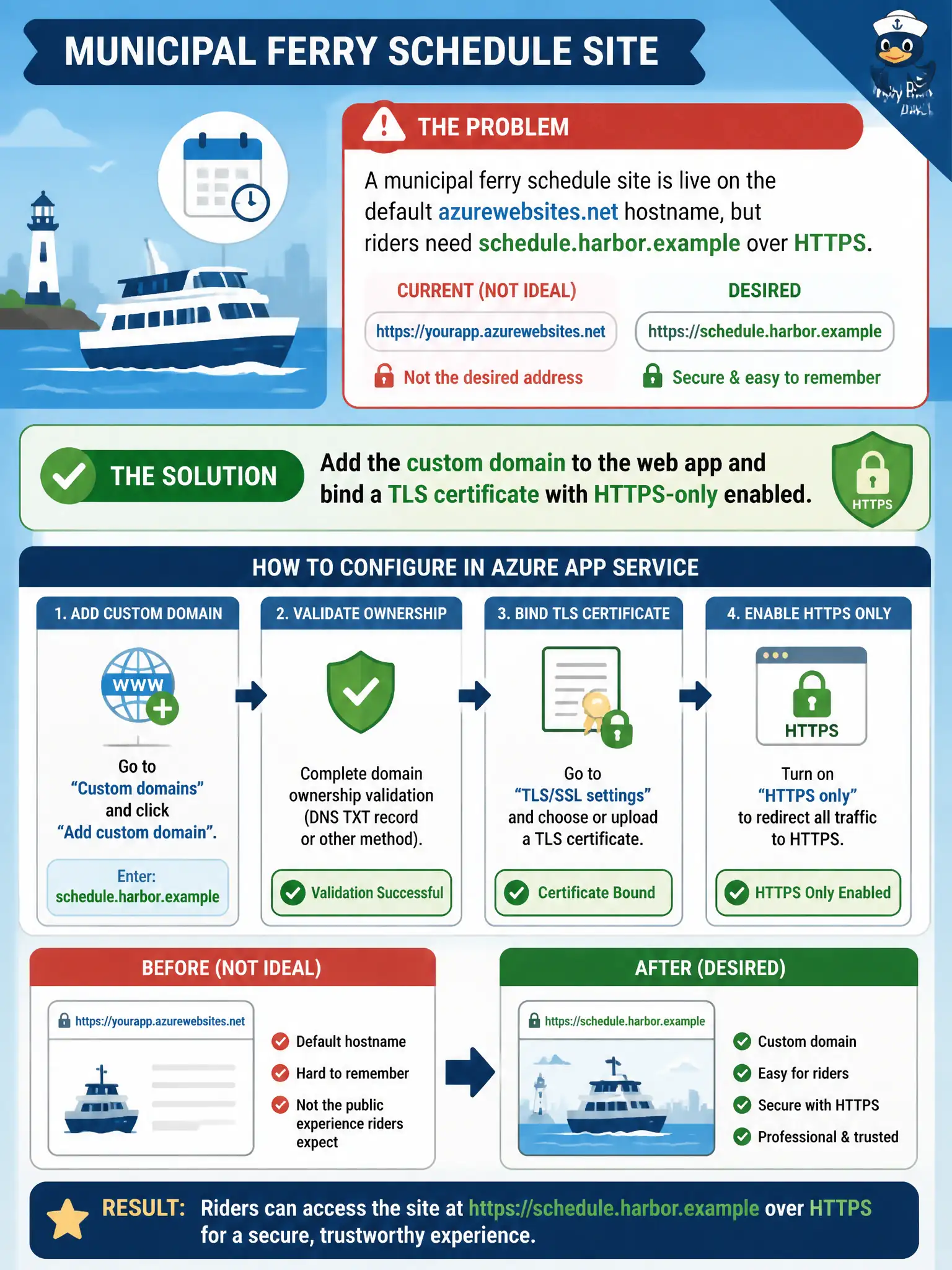
Commuters want a real city hostname with a padlock, not the default azurewebsites.net URL. On App Service that means attaching the custom domain, binding a certificate, and flipping HTTPS-only. Front Door and CDN are other products—this setting lives on the web app itself.
Full Explanation
Riders need schedule.harbor.example with a valid HTTPS padlock on the municipal ferry site, which means finishing hostname and TLS configuration on the App Service web app itself. Add the custom domain, complete ownership validation with the DNS records Azure expects, bind a TLS certificate (App Service managed certificate or an uploaded PFX), and turn on HTTPS-only so HTTP requests redirect. That combination is the App Service custom-domain skill: the public hostname and encryption terminate on the app, and azurewebsites.net is no longer the only entry point riders see.
Publishing only through Azure Front Door with a WAF while leaving the web app on the default hostname does not attach schedule.harbor.example to App Service or create the app-level TLS binding this item asks for. Front Door can sit in front later for global routing and WAF, but it is a separate product configuration, not a substitute for App Service domain and certificate binding. Opening an inbound NSG rule for port 443 on an App Service plan scale set misunderstands the hosting model: multi-tenant App Service does not expose a developer-managed VMSS NSG as the way to enable custom HTTPS. Enabling CDN compression and mapping a custom origin path without changing the app hostname can improve static delivery, yet compression and origin-path mapping never register the custom domain or bind TLS on the web app.
Exam caveat: after DNS validation succeeds, the TLS binding and HTTPS-only flag are still separate steps—ownership alone does not encrypt the custom hostname. Operational check: resolve the custom hostname to the expected App Service endpoint, open https://schedule.harbor.example in a browser or curl, confirm a trusted certificate for that name, and verify that http:// requests redirect when HTTPS-only is enabled.