
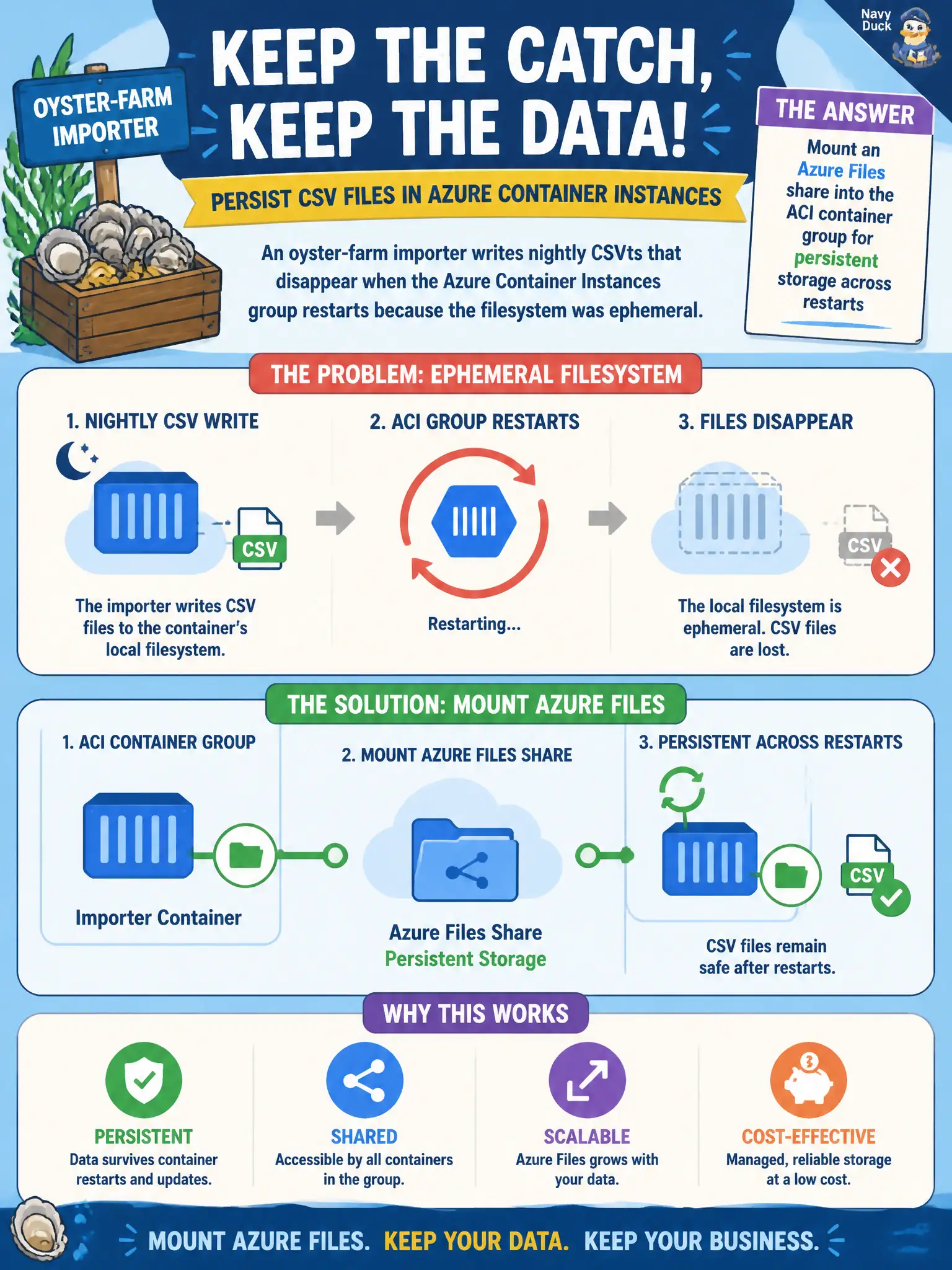
An oyster-farm importer writes nightly CSVs that disappear when the Azure Container Instances group restarts because the filesystem was ephemeral. How should the developer keep that state?
Select an answer to reveal the explanation.
Short Explanation
The container’s local disk is scratch paper—gone when the group restarts. Mount an Azure Files share so those nightly CSVs live in a real filing cabinet outside the container.
Full Explanation
Azure Container Instances filesystems are ephemeral by default. When the oyster-farm importer writes nightly CSVs that must survive group restarts, mount an Azure Files share into the container group and write those files on the mount path. Persistent data then lives in the file share outside the container’s scratch disk and remains after the group is recreated.
Increasing CPU and memory does not convert ephemeral local disk into durable storage; compute sizing and storage durability are separate concerns. Switching the job to AKS solely because “only Kubernetes volumes can hold CSV files” ignores ACI’s supported Azure Files mounts for exactly this persistence need. Storing the CSVs only by COPY-ing them into image layers during rebuilds treats runtime output as build input, bloats the registry, and cannot capture continuous nightly writes without constant republish.
Exam caveat: the share name, mount path, and storage access credentials (or identity-based access where configured) must match where the importer actually opens files for write, or the job will still appear to “lose” output on the ephemeral disk.
Operational check: mount the Azure Files share, run the importer once, restart or recreate the ACI group with the same mount, and confirm the previous night’s CSV is still present on the share at the expected path.