
An Auto Scaling group for a clinic portal launches every instance into one subnet in a single Availability Zone. During a zone impairment the whole fleet goes offline. What should be added so the group can launch in the other zones?
Select an answer to reveal the explanation.
Short Explanation
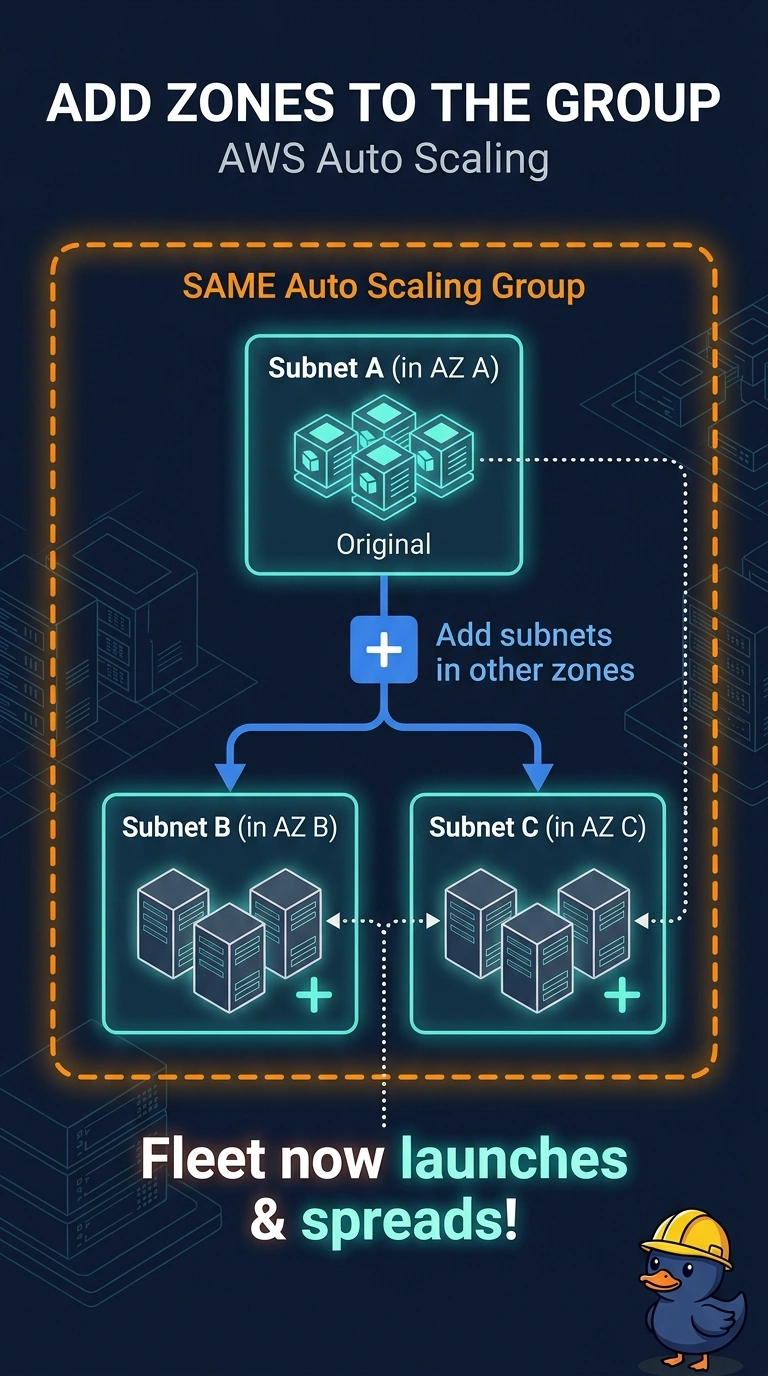
One subnet in one zone is a single door on a single building. You give the Auto Scaling group a subnet in each other zone so a zone impairment does not take the whole fleet. A bigger instance in the same subnet still lives in the zone that failed.
Full Explanation
An Auto Scaling group can launch only in the subnets assigned to it. With one subnet in one Availability Zone, every instance shares that zone, and a zone impairment takes the fleet down together. Adding a subnet in each other zone the clinic needs, and registering those subnets on this group, lets the group launch where a zone is still healthy. A larger instance type in the same subnet is still inside the impaired zone, so size does not create another zone. A second Auto Scaling group pointed at the same subnet only adds capacity in the same failure domain. An Elastic IP preserves an address. It does not move a running instance out of a failed zone or give this group a subnet there. Caveat: the new subnets need free addresses and a path that matches how clients reach the portal, or the group will launch instances that then fail their health checks. The launch template does not pick the zone. Only the subnets registered on the group do. Operational check: run an instance refresh in a test window and confirm the new instances are placed in more than one Availability Zone.