
A hospital web Auto Scaling group stays at four instances while CPU remains above the target tracking policy threshold and pages are timing out. The group's maximum capacity is also four. What should the operator change so the group can add instances?
Select an answer to reveal the explanation.
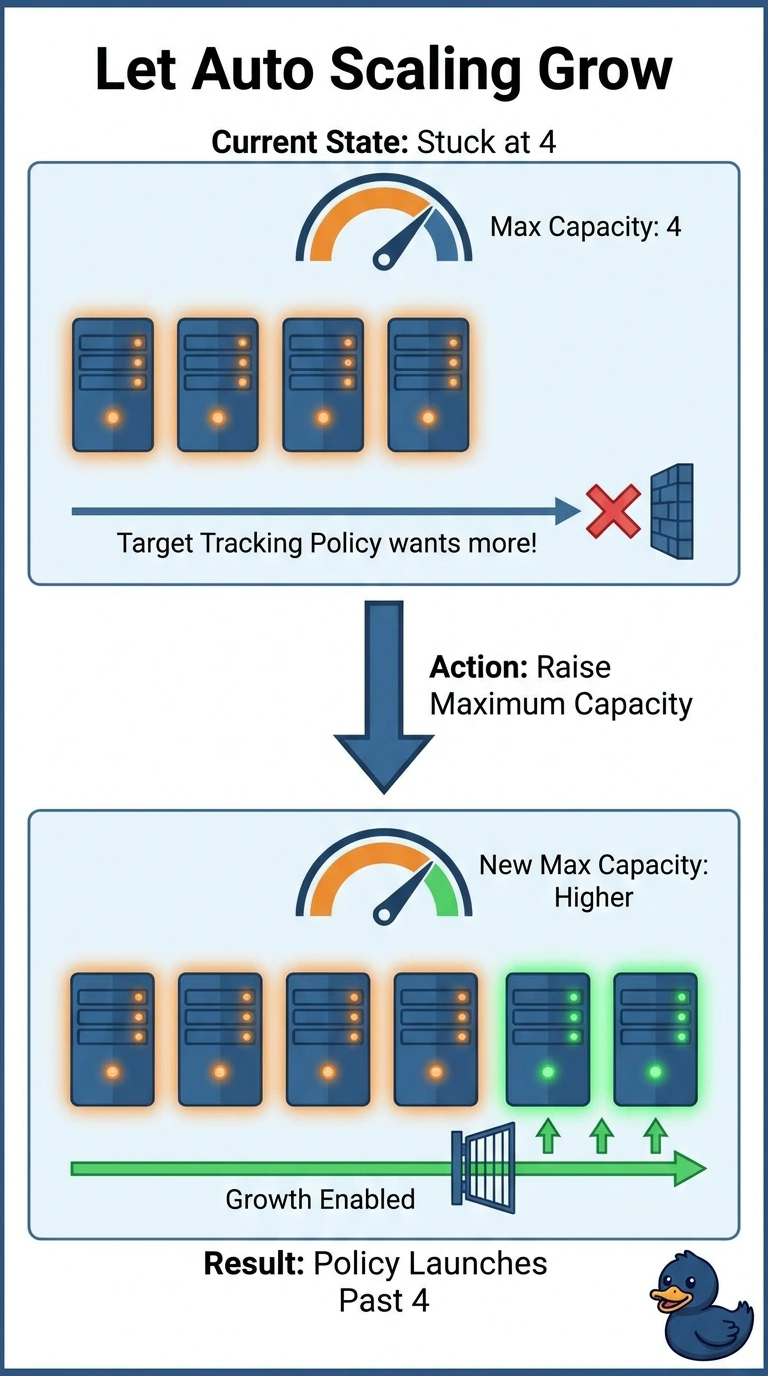
Short Explanation
The thermostat can want the room cooler and still do nothing if you welded the window shut. You set a maximum of four, and the group is already there, so target tracking has nowhere to go. Raise that ceiling before you rebuild the image.
Full Explanation
Target tracking will not set desired capacity above the group's maximum. The stem gives both the hot CPU and a maximum that equals the current size, so the policy is doing what it was allowed to do. Raising the maximum lets that same policy add instances. A new AMI might help a truly inefficient build, but it does not create a fifth instance while the cap remains, and nothing in the stem says the image is the fault. Moving from an Application Load Balancer to a Network Load Balancer changes protocol handling, not the Auto Scaling maximum. Detailed monitoring publishes EC2 metrics more often; it does not lift a capacity limit. Caveat: after you raise the maximum, confirm a scaling process is not suspended and that new instances pass the load balancer health check. Operational check: compare maximum, desired, and the latest scaling activity, which reports when a group cannot grow because it is already at maximum.