
An interface VPC endpoint for a service exists in a private subnet, and private DNS on the endpoint is disabled. The application uses the service's normal public DNS name and its traffic still goes out the NAT gateway. What should be enabled?
Select an answer to reveal the explanation.
Short Explanation
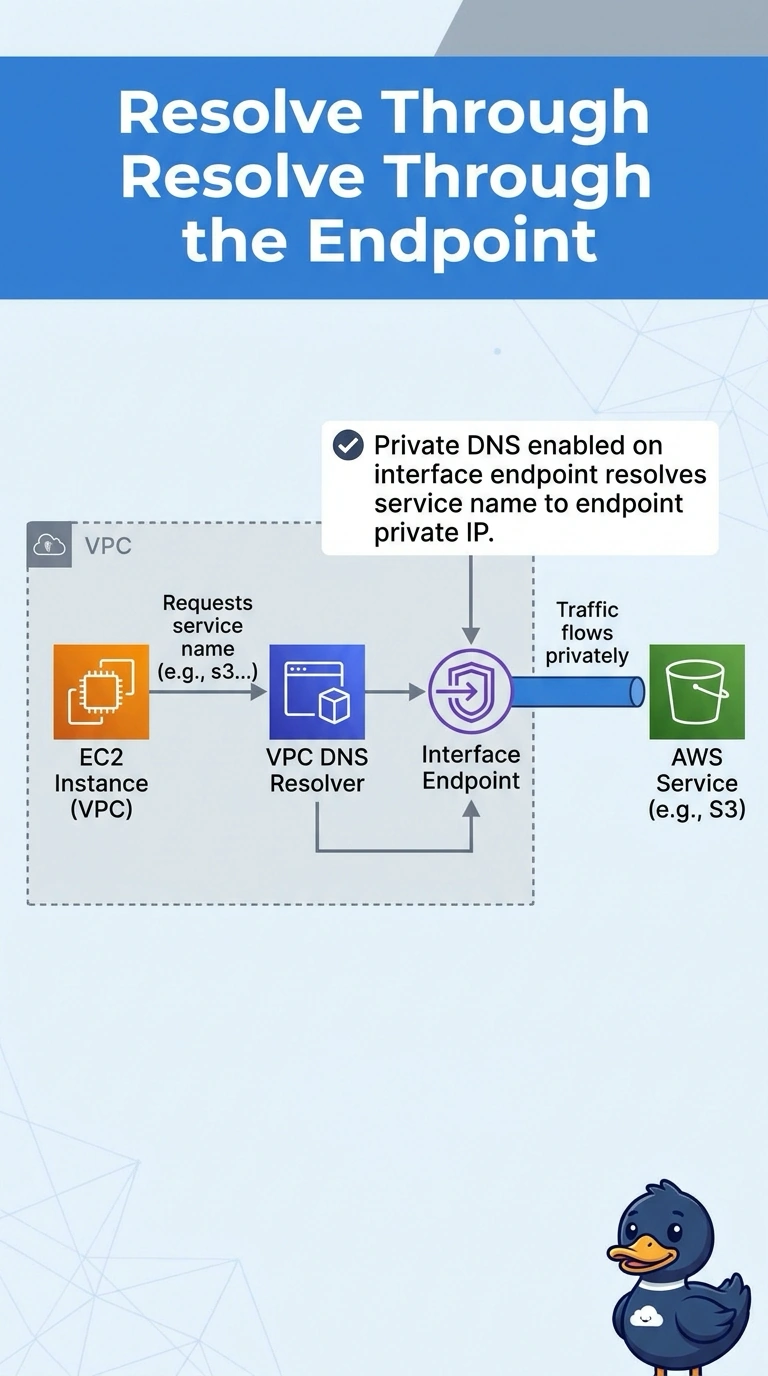
The private socket is installed, and the name on the door still points at the public street. You turn on private DNS so the service's normal name resolves inside the VPC to the endpoint. Another NAT gateway only makes the public path easier.
Full Explanation
With private DNS enabled, the interface endpoint answers the service's public DNS name with the endpoint's private addresses inside the VPC, so the application keeps its normal hostname and stops using the NAT gateway. While private DNS is off, that name still resolves to the public addresses and the existing default route sends the call out the NAT gateway. A gateway endpoint is a different endpoint type and is not how you fix DNS on an interface endpoint. Another NAT gateway adds internet capacity for the path you are trying to leave. A public hosted zone aimed at the NAT gateway would send everyone, not just this VPC, at the NAT address and is not a valid target for the service. Caveat: private DNS requires the VPC's DNS settings to be on, or the endpoint cannot register the name. Operational check: from the instance, resolve the service name and confirm the address is in the subnet, then confirm the NAT gateway's traffic for that service drops. Private DNS creates a hidden association so the service's public name resolves to the endpoint inside this VPC only. The VPC needs enableDnsSupport and enableDnsHostnames. Security groups on the endpoint must allow the application. After you enable it, flush nothing on the instance beyond a new lookup; the resolver answers from the VPC DNS. NAT gateway bytes for that service should fall once the lookup returns a private address.