
A vision-enabled Claude integration must analyze diagrams embedded in PDF pages that have been rasterized to PNG at 72 DPI. During testing, Claude consistently fails to read small text labels on circuit diagrams. What is the most effective single intervention?
Select an answer to reveal the explanation.
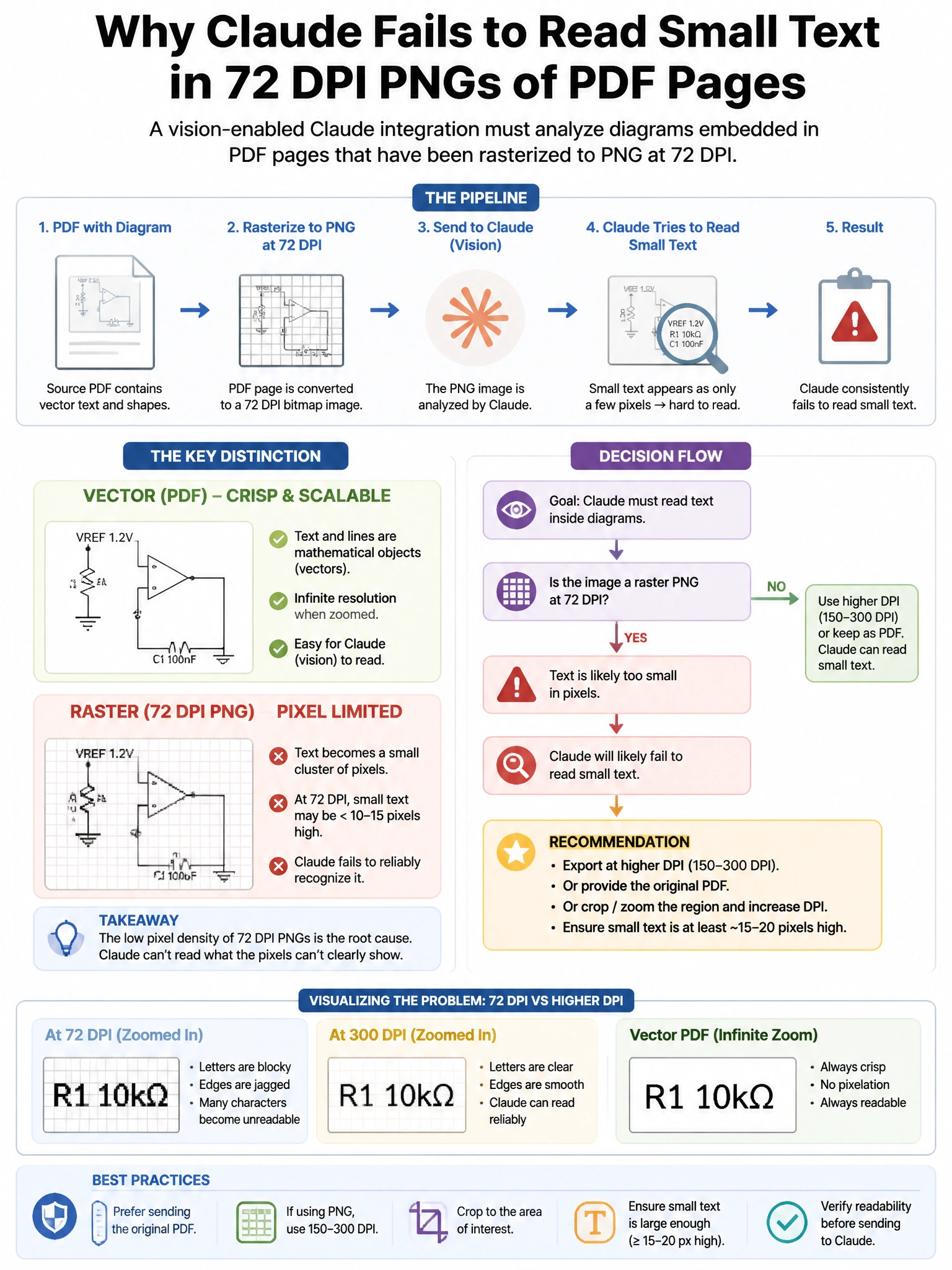
Short Explanation and Infographic
Here's the deal — a is correct because 72 DPI is screen resolution and produces images where fine text may be only 5–10 pixels tall; at this size, letter forms are ambiguous and Claude's vision processing cannot reliably decode them. Re-rasterizing at 300 DPI (print resolution) produces text at 20–30+ pixels per character height, which is reliably legible.
Full explanation below image
Full Explanation
A is correct because 72 DPI is screen resolution and produces images where fine text may be only 5–10 pixels tall; at this size, letter forms are ambiguous and Claude's vision processing cannot reliably decode them. Re-rasterizing at 300 DPI (print resolution) produces text at 20–30+ pixels per character height, which is reliably legible. This is the most direct fix targeting the actual cause. B is wrong because providing OCR text as a parallel input is a valid workaround but is not a fix to the image quality issue; it bypasses the vision capability rather than correcting it, and OCR from PDF text layers may not extract text from embedded diagram labels. C is wrong because JPEG uses lossy compression that is particularly harmful to sharp edges and text strokes, making text less readable than lossless PNG at equivalent file sizes; this change would degrade, not improve, text legibility. D is wrong because tiling at the same DPI produces the same pixel density per unit area; the problem is not image crop size but spatial resolution (pixels per inch).