
A Meraki SSID enable call returns HTTP 403 for the city's service account. How should the consumer treat that response compared with a 429?
Select an answer to reveal the explanation.
Short Explanation
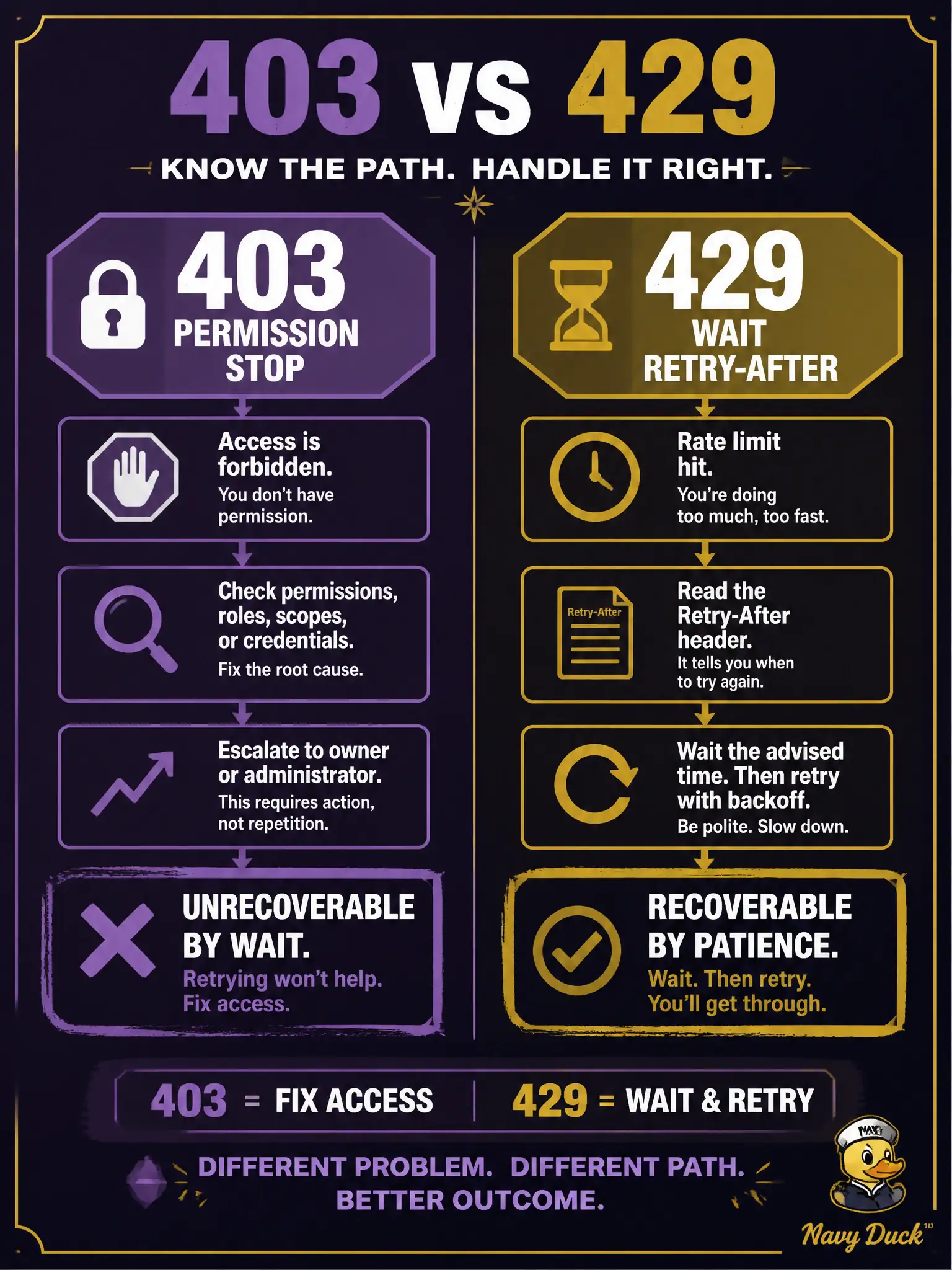
403 means this badge cannot open that door. Waiting in line will not grow new permissions. Fail the hop and escalate role, token audience, or resource—unlike a 429 wait.
Full Explanation
HTTP 403 on a Meraki SSID enable for the city’s service account is an authorization/permission failure: the credential or role cannot perform that operation on that resource. The consumer should fail the hop and escalate scope, role, token audience, or resource selection—not apply rate-limit backoff. Waiting does not grant new permissions.
Sleeping and retrying with Retry-After logic until 403 becomes 200 confuses authorization with throttling; 403 will not age into success. Ignoring 403 because “permission errors are always retryable timeouts” is false on both counts. Treating 403 as success and enabling the SSID only in a local database desynchronizes inventory from Meraki reality and hides a real access problem.
Exam caveat: distinguish 401 (unauthenticated/bad or missing credentials) from 403 (authenticated but not allowed); both are non-retryable in the rate-limit sense, but remediation differs. Operational check: on Meraki 403, stop retries, alert with the account and network/SSID identifiers, and verify Dashboard admin roles or API key scope before the change window proceeds. Rate-limit backoff on 403 wastes the change window and can look like “Meraki is slow” in dashboards when the real issue is RBAC. Compare the service account’s privileges in Dashboard against the SSID enable endpoint requirements before any further automation retry.