
A new Catalyst 9000 app-hosting attempt fails because IOx services never started. What prerequisite do official hosting docs emphasize?
Select an answer to reveal the explanation.
Short Explanation
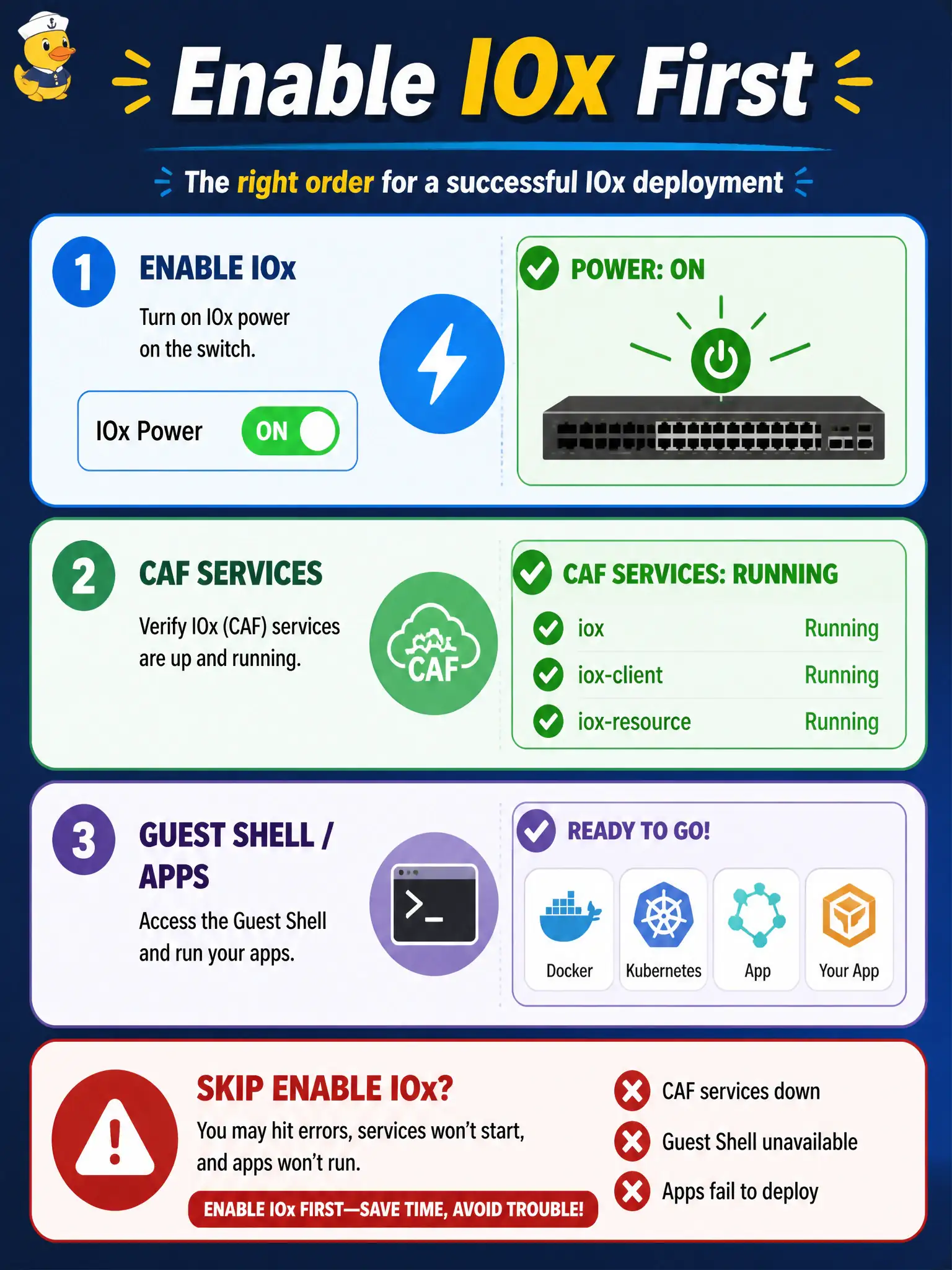
Flip the building’s power main (enable IOx) and wait for the elevators (CAF services) before tenants move in. Skipping enable is why the app will not host.
Full Explanation
Official Catalyst application-hosting guidance for municipal deployments emphasizes that IOx is not on by default. When a new Catalyst 9000 app-hosting attempt fails because IOx services never started, the prerequisite is to enable IOx and confirm CAF/IOx services are up before Guest Shell or the app can run. City operators should treat enablement as flipping the building power main before tenants move in.
Skipping IOx enable because Guest Shell always starts with factory defaults fails: factory defaults do not guarantee hosting services are running on civic switches. Only configuring STP root priority fails because spanning tree is unrelated to the IOx prerequisite. Installing Docker Desktop on a laptop instead of enabling on-box IOx fails Domain scope—laptop Docker does not replace on-box enablement for 5.5 hosting on the Catalyst.
Exam caveat: after enable, still map AppGigabitEthernet or management into the app vNIC and plan flash versus SSD storage; enable alone is necessary but not always sufficient for a networked multi-app municipal design.
Operational check: on the civic Cat9k, enable IOx, verify CAF/IOx services show running, then enable Guest Shell or activate the app and confirm hosting proceeds past the previous service-not-started failure.