
After a filtered Intersight list, a transit script needs full detail for one server. Which retrieve addresses that single object?
Select an answer to reveal the explanation.
Short Explanation
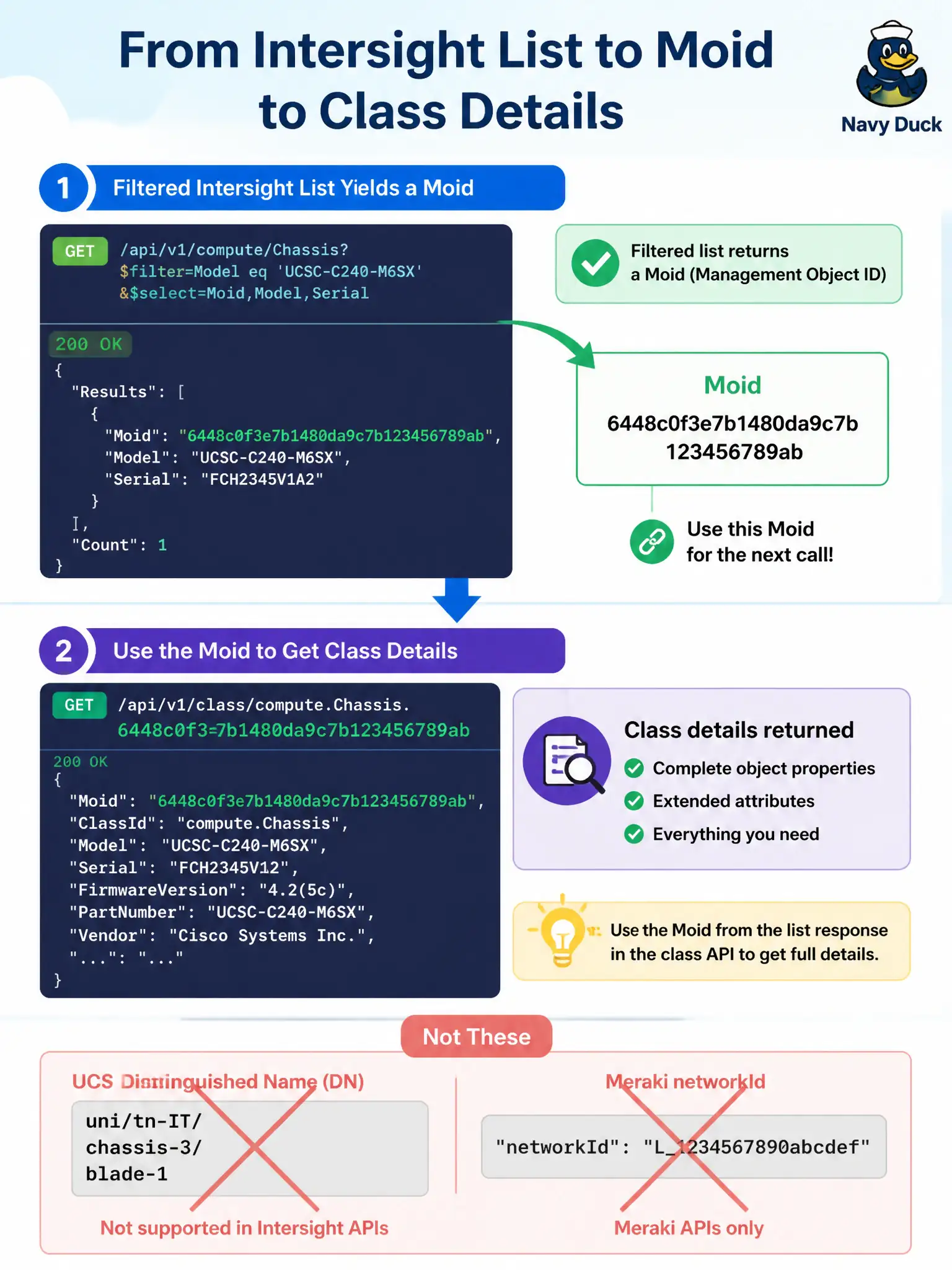
Moid is Intersight’s house number for one object—after the directory listing, knock on that exact door with GET /api/v1/class/{Moid}.
Full Explanation
After a filtered Intersight list, full detail for one server is retrieved with GET /api/v1/<class>/{Moid}, using the Moid returned in the list row. Moid is Intersight’s object identifier; the detail GET addresses that single resource so the transit script can read properties beyond the summary projection without re-downloading the whole collection.
Using a UCS Manager distinguished name as if it were the Intersight key fails because UCS DNs are not Intersight Moids and the SaaS path does not resolve FI-style org-root/ls-… addresses. Substituting a Meraki networkId fails by product confusion: Meraki identifiers belong to Meraki Dashboard APIs, not Intersight object keys. POSTing a new PhysicalSummaries document and treating the create response as detail fails because create is a write path, not the retrieve of an already listed object.
Exam caveat: collection GETs and Moid GETs are different operations—filtering the list does not automatically return every nested property you need for automation; plan an explicit detail hop when the script must act on one server.
Operational check: from a filtered list row, copy the Moid into GET /api/v1/<class>/{Moid}, verify Name/Serial match the list entry, and refuse to proceed if the detail call 404s so operators do not apply changes against a stale identifier.