
A municipal CI pipeline must notify the city’s Webex ops space when a Catalyst switch push fails. Which Webex API construction posts that ChatOps alert?
Select an answer to reveal the explanation.
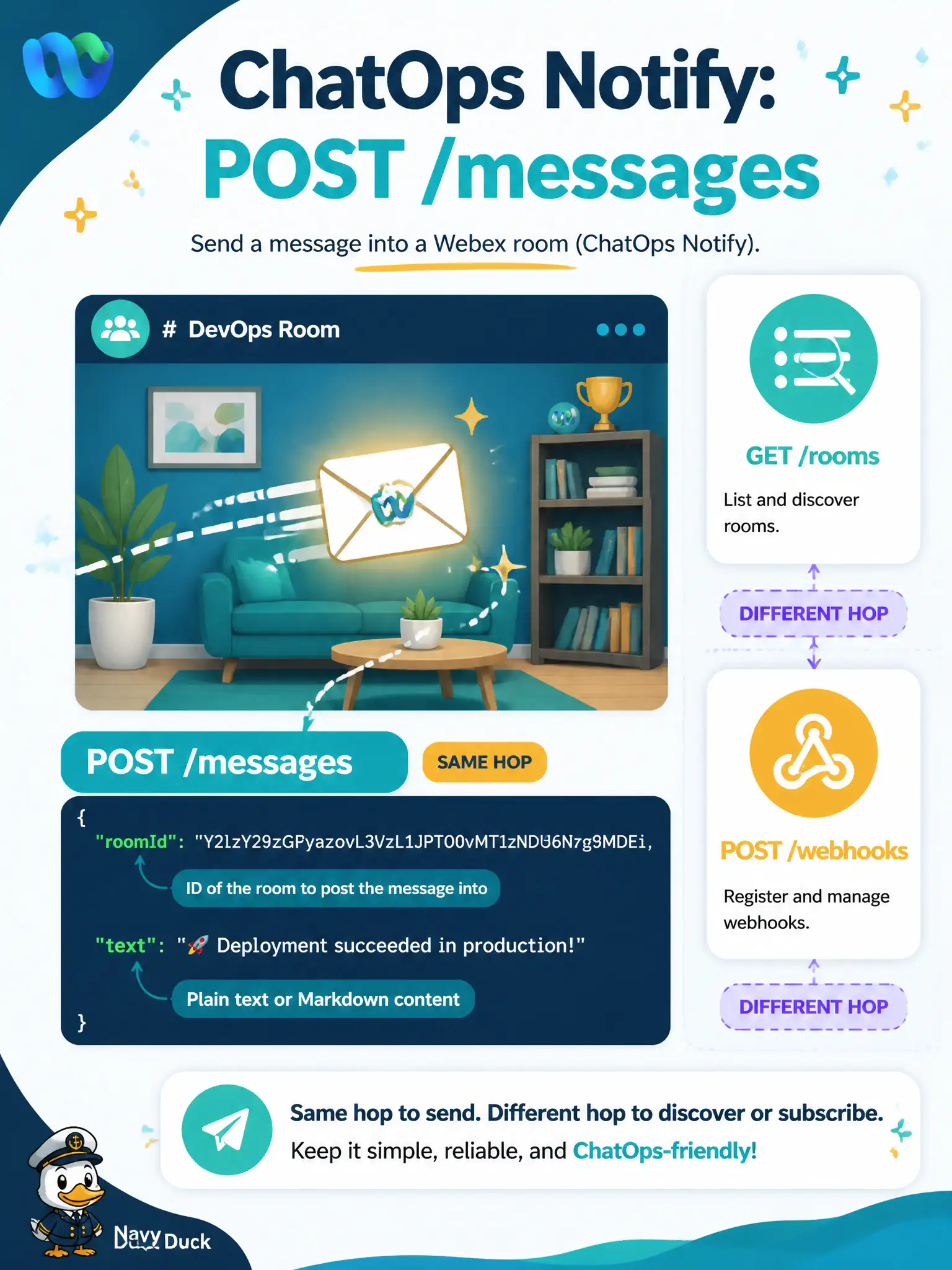
Short Explanation
ChatOps notify is dropping a note in the right room: POST to messages with a roomId and a body. Listing rooms or registering a webhook is a different errand—not the outbound alert itself.
Full Explanation
ChatOps notification from the municipal CI pipeline is an outbound message create: POST /messages with a destination roomId and a text or markdown body that describes the Catalyst switch push failure. That construction places the alert in the city’s Webex ops space where on-call operators already watch, which is the notify path DEVCOR-style platform work expects.
GET /rooms only lists spaces; stopping after the list never delivers the failure alert. POST /webhooks registers an inbound event subscription so Webex can call you later—it does not itself post the failure text as a ChatOps notify. PUT /people/{id} to rewrite a bot display name changes identity metadata, not the message stream operators read for outages. Include enough context in the message body—change id, device, environment—for operators to act without opening the CI system. Rate-limit or debounce repeated failure posts so a flapping Catalyst push does not flood the ops space.
Exam caveat: separate list and register APIs from the message-create API; notify means POST /messages with room and body. Operational check: on a failed switch push in CI, confirm the pipeline calls POST /messages with a valid roomId and body, and verify the ops space shows the alert without relying on webhook registration for outbound notify.