
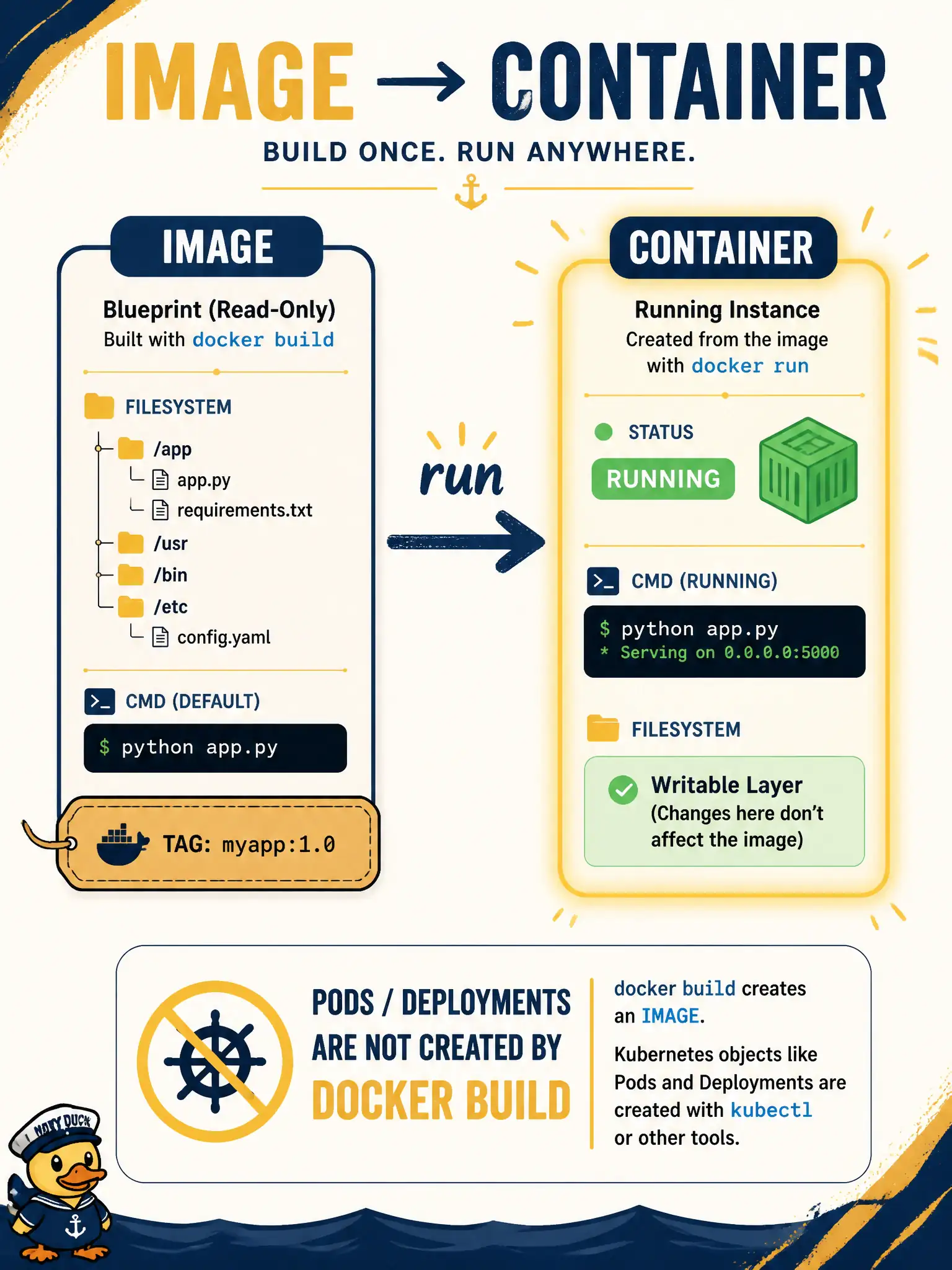
During a municipal Docker lab, the team builds and tags dna-collector:1.2, then starts a process from that tag. Which statement is correct?
Select an answer to reveal the explanation.
Short Explanation
The blueprint is the image; the house you live in is the container. You build and tag the blueprint, then run to start an instance—don’t swap the names.
Full Explanation
Build produces an image—a filesystem snapshot plus default command—and tagging names that image (for example dna-collector:1.2); run starts a container instance from that image. In the municipal lab, those are distinct objects: the image is the reusable blueprint; the container is the running process created from it. Understanding the split prevents confusing build artifacts with live workloads.
Claiming build produces a running container while tagging creates a separate Kubernetes Pod automatically merges three layers—image build, local run, and cluster Pod creation—that require separate actions. Treating image and container as identical terms for the same running process erases the blueprint-versus-instance distinction Docker is built on. Asserting that a Deployment object is created by docker build with no further commands invents Kubernetes objects from a local image build that never talked to the API server.
Exam caveat: docker build/tag yield an image; docker run (or a kubelet pulling that image) yields a container/Pod—build alone does not schedule cluster workloads. Operational check: after building and tagging dna-collector:1.2, confirm an image exists in docker images, then start a container with run (or a Deployment) and confirm a separate running instance appears without assuming build created it.