
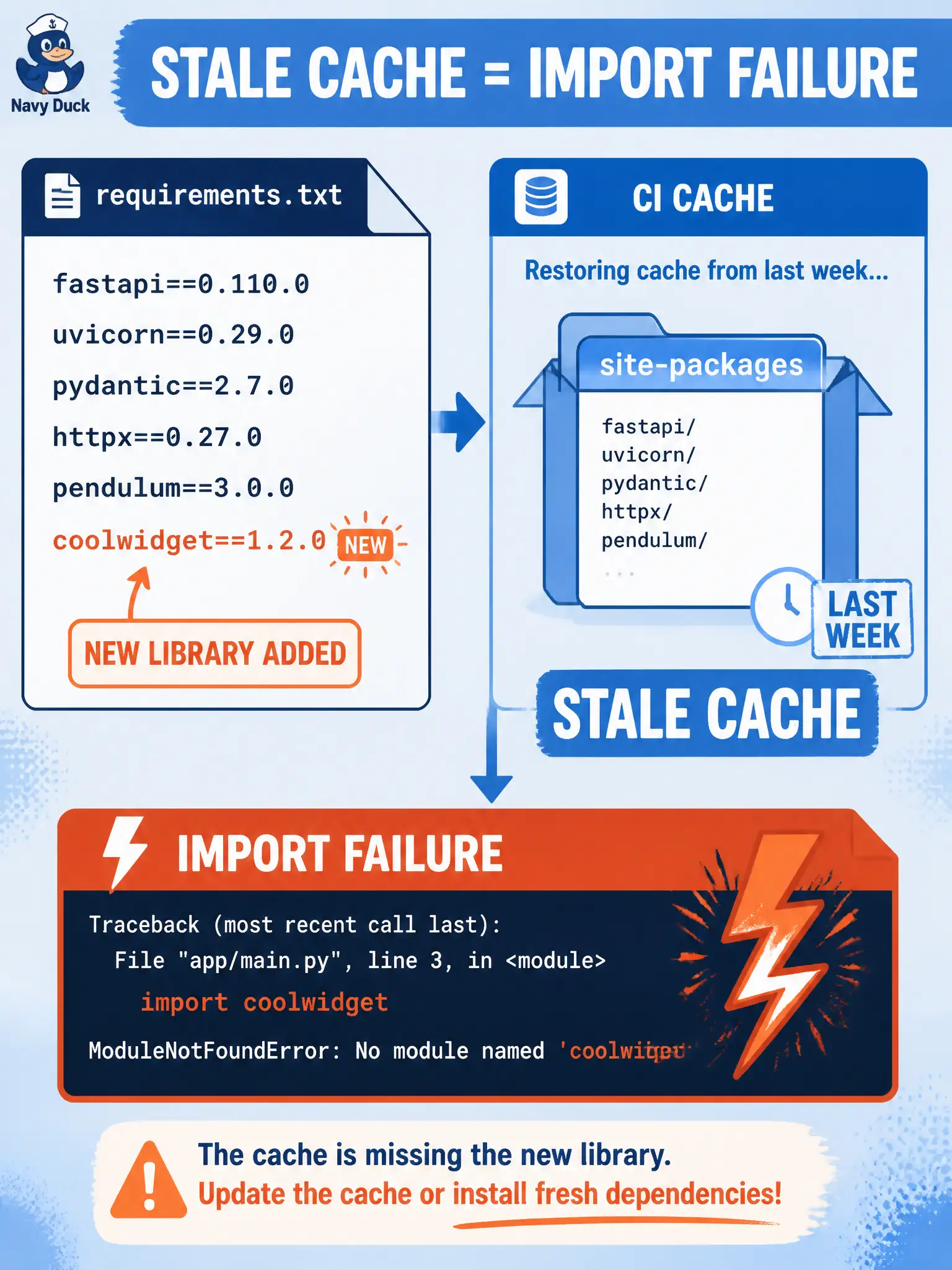
Requirements now list a new DNA Center client library, but CI restores last week’s cached site-packages, reports install success, then fails on import of the new module. Where should diagnosis start?
Select an answer to reveal the explanation.
Short Explanation
Yesterday’s lunch box in the fridge is not today’s grocery list—the cache served stale site-packages while requirements already named something new. Start at the cached install layer, not by rewriting the app.
Full Explanation
When requirements newly list a DNA Center client library but CI restores last week’s cached site-packages, reports install success, then fails importing the new module, diagnosis starts at the cached install layer that hid the dependency change from a fresh resolve. The municipal pipeline trusted a cache key that did not invalidate when requirements changed, so “install success” reflected yesterday’s tree, not today’s file. Stale cache is a classic false-green install.
Rewriting application business logic because the new client “can never import” misattributes a packaging/cache problem to application design. Changing the Kubernetes Service name whenever requirements.txt changes couples an unrelated network identity to Python dependencies. Investigating the Webex OAuth redirect URI is orthogonal to Python packaging and will not restore the missing DNA client module.
Exam caveat: reported install success is only as trustworthy as cache invalidation—exam scenarios often hide the new pin behind a restored layer. Operational check: invalidate or bypass the site-packages cache when requirements change, re-run a clean install, confirm the new DNA client appears in the environment, and only then treat remaining import errors as application issues.