
Poison messages keep failing a city inspections worker. After repeated unsuccessful gets without a successful update or delete, where do those messages go on OCI Queue?
Select an answer to reveal the explanation.
Short Explanation
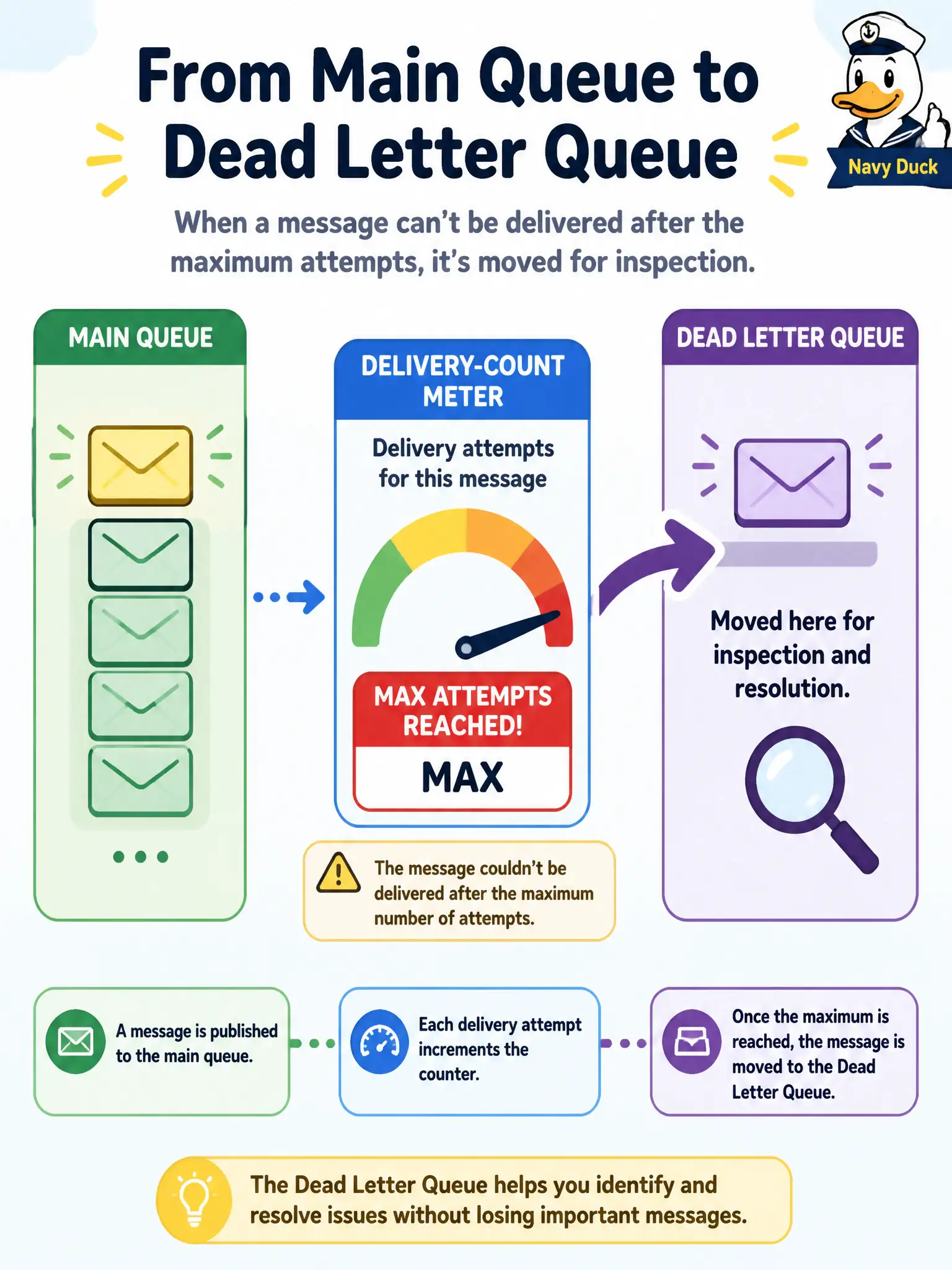
Each unsuccessful get without a successful update or delete bumps delivery count. Past the queue’s max attempts (1–20), the message moves to an automatic dead-letter queue so you can inspect poison work instead of blocking the main queue.
Full Explanation
When poison messages keep failing a city inspections worker, OCI Queue moves them after the queue’s maximum delivery attempts. Each unsuccessful get without a successful update or delete increments delivery count; once that count exceeds the configured maximum (documented range 1–20), the message is moved to the automatically created dead-letter queue for inspection rather than endlessly blocking healthy work on the main queue. Remaining forever at the head of the main queue and permanently blocking newer work is not the designed outcome—dead-lettering exists to isolate poison payloads. Copying them to Streaming as a mandatory retry topic product invented for Queue invents a cross-service requirement Queue does not impose. Discarding immediately with no inspection path once delivery count increments once is too aggressive and contradicts the configurable maximum and dead-letter queue behavior. Exam caveat: dead-letter queues still need operators (or a secondary consumer) to inspect, fix, and either purge or redrive messages; automation that only “happy-paths” the main queue will accumulate silent DLQ backlog. Operational check: lower max delivery attempts on a test queue, publish a deliberately failing message, confirm it lands in the DLQ after the threshold, and verify the main queue continues serving good work.